brands · South Africa
CODESYS PLC Training: Software, Courses and Practice
CODESYS PLC training in South Africa: compare software and runtime access, choose a course and practise array selection with set boundaries and test cases.
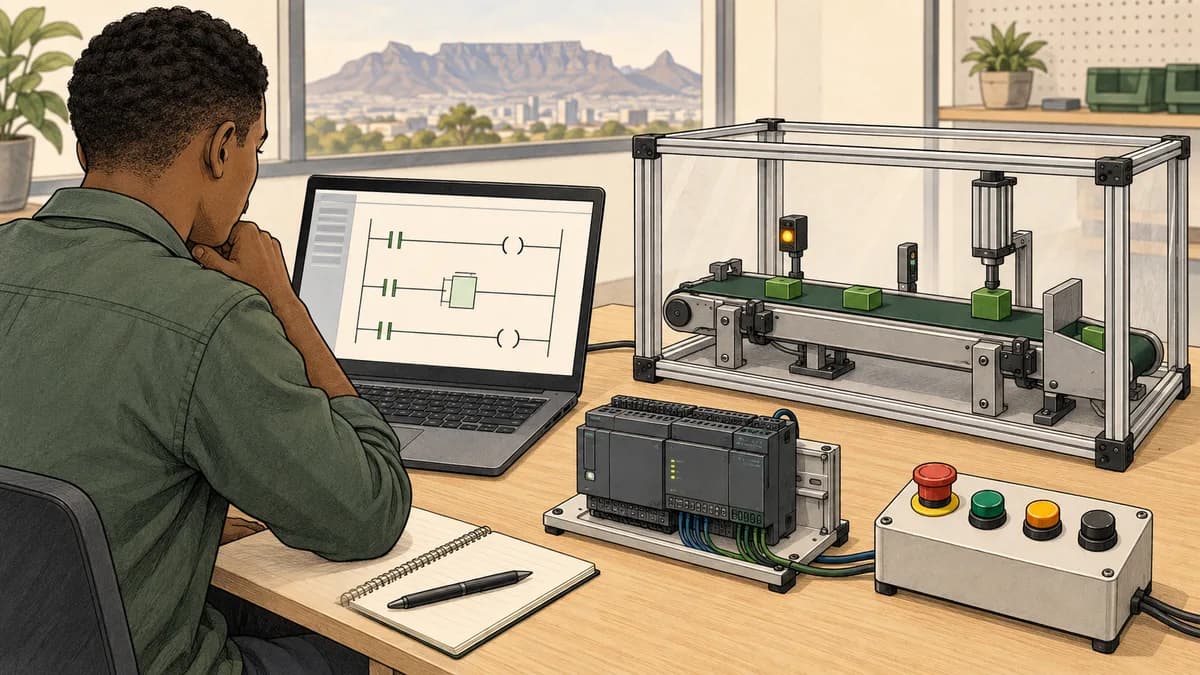
CODESYS PLC training in South Africa is most useful when you know whether you want to learn programming fundamentals, maintain a particular controller or develop reusable application code. Those objectives share concepts, but they do not require exactly the same course, software installation or practical equipment.
Start by separating the development environment, its simulation mode and the runtime that executes an application on a target. A free engineering-tool download does not automatically provide an unrestricted runtime licence. Familiar Structured Text also does not mean a project can move unchanged between every manufacturer's controller.
This website is commercially connected to PLC Simulator. We are an independent learning resource, not a CODESYS-authorised training partner. The PLC Simulator curriculum offers a route for foundational practice. Treat native CODESYS development, target-specific configuration and supervised equipment work as additional learning requirements.
Development system, simulation mode and runtime explained
The CODESYS Development System is the engineering environment used to create and work with automation applications. CODESYS states that the Development System is available as a free download. Optional products and target-runtime licensing need their own checks; “free download” is not a promise that every component shown in a tutorial is included without cost.
Simulation mode is a facility within the development environment for testing application behaviour without the physical target. A soft PLC is a runtime executing an application on a computer. These are distinct routes, even when both let a learner observe variables on a laptop.
| Learning route | Useful question it can help answer | Boundary to record |
|---|---|---|
| Paper trace or independent logic exercise | Does the stated rule produce the expected result? | No evidence of native compilation or target execution |
| CODESYS simulation mode | How does supported application logic behave in this environment? | Simulation differs from the physical controller and does not exercise field I/O |
| A configured CODESYS soft PLC | How does the application behave on this selected runtime? | Runtime licence, operating system, supported interfaces and timing scope matter |
| Supervised target-controller exercise | How does this configured project interact with the training equipment? | Evidence belongs to the tested configuration and conditions |
This distinction improves course selection. Ask the provider to identify the route used for each practical outcome, rather than accepting “includes a simulator” as a complete description. A logic-only course can be valuable, but it should not be sold as evidence that you have configured physical networks or commissioned equipment.
What simulation mode does not prove
The official CODESYS simulation command documentation says that fieldbus stacks are not evaluated, I/O channels are not updated and bus telegrams are not sent in simulation mode. It also describes differences involving execution, architecture and external libraries.
Consequently, a changing value in a simulated program is not proof of communication with an instrument. A successful calculation does not demonstrate that the correct physical channel is mapped. Keep the program-logic result and the equipment-integration result separate in your learning notes.
For a networking objective, ask what target and devices will actually communicate, which data is exchanged and what diagnostic evidence learners inspect. The industrial networking training guide can help you identify prerequisites before buying a platform-specific course. It does not make a software-only exercise equivalent to a physical network test.

Control Win and Raspberry Pi licensing: read the exact product
The CODESYS Control Win SL product page describes a Windows soft PLC with soft real-time properties. Its documentation states that operation without a licence is limited to a two-hour demo period, after which a manual restart is required. That is different from an unrestricted, permanently free runtime.
The CODESYS Control for Raspberry Pi SL listing similarly describes a two-hour period without a valid full licence before shutdown. Do not rely on an old tutorial's broad statement that Raspberry Pi use is free for any non-commercial purpose. Check the exact current product, supported hardware, conditions and licence before choosing a learning setup.
A course quotation should identify whether runtime access is temporary, provided on a training machine or something you must purchase. Ask what remains available after the course and whether optional libraries or communication features are required for the supplied exercises. Record the answer before comparing prices.
For South African learners using a personal laptop, installation permissions and operating-system compatibility also affect access. Confirm the provider's actual requirements rather than assuming a virtual machine, a browser or any Windows installation will support the chosen runtime. The Control Win listing includes specific platform restrictions; a course should work within those stated conditions.
Which CODESYS version should a beginner learn?
Choose a release supported by the course and target project. Record the development-system version, runtime version, device description and relevant library versions. If you are maintaining an employer's application, the existing project is the starting point; installing the newest download is not automatically the appropriate first action.
There is also a current naming development. The official CODESYS 4 page describes a web-based environment that complements Development System 3, initially for Structured Text library development, and announces its first release for September 2026. Check actual availability and feature scope when enrolling. An announcement does not establish that every V3 workflow or target is supported in V4.
Ask the instructor to explain which screenshots and sample files match the course release. If a lesson refers to an unavailable menu or library, resolve the version mismatch before treating it as a programming error. This habit saves time and produces better support questions than reporting only that “CODESYS does not work.”
A useful beginner syllabus
A good introductory course should help you declare and interpret variables, read Boolean expressions, understand state, organise program code and check an expected result. It should also explain where the program is called and how observations relate to that execution context.
Structured Text is useful for learning expressions, selections and repeated operations. Ladder can make Boolean relationships easier to discuss with learners who recognise contact-and-coil notation. Our CODESYS language-choice guide is a related reading route; the course itself should identify the languages actually taught and assessed.
Avoid judging depth by the number of language names in an advertisement. Ask for one complete exercise with requirements, implementation, test cases and a review of an incorrect result. Understanding a small program thoroughly is stronger evidence than copying several larger examples without knowing their assumptions.
Worked exercise: selecting a practice record safely
Consider a fictional training dashboard with four stored exercise scores. They are classroom data, not process measurements or commands to equipment. A learner enters an integer record number and asks the program to select the corresponding score.
The exercise uses an array indexed from 1 through 4, containing the values 12, 18, 25 and 40 respectively. A valid selection returns the matching score with SelectionValid = true. Any record number outside that range returns a display value of 0 and SelectionValid = false. The zero is a chosen placeholder; it must not be presented as a genuine score.
The CODESYS array data-type documentation describes indexed arrays and their bounds. For this learning exercise, the important habit is to make the accepted index range explicit and check it before accessing an element. Do not assume every array begins at zero or that an invalid index will produce a useful result.
Define the inputs and outputs first
The input RequestedRecord is already an integer in this model. Conversion from typed text, decimal values, empty fields or network data is outside its scope. The array is fixed for the example. There are no concurrent updates, no persistence requirement and no physical timing requirement.
The outputs are SelectedScore and SelectionValid. Both must be assigned for every evaluation. This prevents a failed selection from accidentally leaving the previous valid flag or score visible. The dashboard should use the validity flag when deciding what to display.
Write the requirement in ordinary language before writing code: “Only record numbers 1 to 4 may select a stored score. An invalid request produces an invalid result and the placeholder zero.” That sentence makes the error behaviour reviewable rather than leaving it to an assumed runtime default.

Read the illustrative Structured Text
The following is an illustrative Structured Text fragment for the stated model. It has not been compiled or executed in a native CODESYS project as part of this guide. A vendor exercise still needs the appropriate POU, declarations, call context and target checks.
VAR
    Scores : ARRAY[1..4] OF INT := [12, 18, 25, 40];
    RequestedRecord : INT;
    SelectedScore : INT;
    SelectionValid : BOOL;
END_VAR

SelectionValid := FALSE;
SelectedScore := 0;

IF (RequestedRecord >= 1) AND (RequestedRecord <= 4) THEN
    SelectedScore := Scores[RequestedRecord];
    SelectionValid := TRUE;
END_IF;
The defaults are assigned before the conditional access. The array lookup sits inside the valid-range branch, rather than being performed first and checked afterwards. Read the two comparisons carefully: the endpoints are included. Replacing either inclusive comparison with a strict comparison changes which records are accepted.
Nothing in this example clamps an invalid request to the nearest valid record. That would be a different requirement. Selecting record four when the user requested record five could conceal an input error, even though the selected array element itself exists.
Test boundaries and ordinary selections
Use the following cases before experimenting with a visualisation. They include the first and last valid record, interior records, and values immediately outside both ends of the range.
| Requested record | Selected score | Selection valid | Reason |
|---|---|---|---|
| -1 | 0 | False | Below the accepted range |
| 0 | 0 | False | Immediately below the first index |
| 1 | 12 | True | First valid record |
| 2 | 18 | True | Interior record |
| 3 | 25 | True | Interior record |
| 4 | 40 | True | Last valid record |
| 5 | 0 | False | Immediately above the last index |
| 99 | 0 | False | Further outside the range |
The boundary cases have a purpose beyond increasing the number of tests. An off-by-one defect might still return the correct value for record two while rejecting record one. A missing upper check might remain invisible until someone requests record five. Choose cases that challenge the rule, rather than repeating only successful interior selections.
Test a sequence to catch stale results
Now request records 2, 5, 4 and 0 in that order. The expected pairs of score and validity are (18, true), (0, false), (40, true) and (0, false). This sequence moves from valid to invalid twice.
If the display shows 18 after the request for record five, investigate whether the output is reassigned on the invalid path and whether the screen is reading the correct variable. If the score changes to zero but the valid flag remains true, the display can still misrepresent the result. Both outputs form the result contract.
Repeat the sequence after changing the third stored score to 31 in a separate saved exercise version. Only a request for record three should return that changed value. This distinguishes data changes from changes to the selection rule and provides a simple review of whether the intended element was edited.
Explain what the tests establish
These checks establish the expected behaviour of the stated selection model. They do not prove native compiler acceptance, controller memory behaviour, user-interface parsing or network data quality. In a course, add the target-specific evidence separately and label the environment used for each result.
An instructor can extend the task by changing the declared bounds and asking the learner to update the design consistently. For more reusable code, investigate the documented facilities for determining array bounds rather than scattering unrelated numeric assumptions through an application. Keep the initial fixed-array exercise small enough that every result can be checked by hand.
For independent practice with expressions and control flow, explore the PLC Simulator Structured Text learning page. Confirm the syntax and features supported by the exercise environment. A conceptually similar expression is not proof that an entire CODESYS project can be imported or executed there.

Libraries and portability: what actually needs checking?
Reusable code becomes useful when its interface, assumptions and dependencies are clear. For the record-selection example, document the accepted input type, bounds, invalid-result behaviour and any data supplied by the caller. A library consumer should not have to infer those details from a screenshot.
Our CODESYS library-structure guide is a route into organisation and reuse. In a vendor course, ask how library versions are recorded and how the instructor confirms the dependencies required by a supplied project. A missing or changed dependency can prevent a project from building even when its visible program text is familiar.
Do not use “learn once, program every brand” as a purchasing assumption. A particular manufacturer can require its own engineering environment, device package, firmware, libraries and supported workflow. Match the course to the exact hardware reference and project version. If the intended job is specifically Beckhoff TwinCAT or Schneider Machine Expert, request training in that environment rather than treating a generic CODESYS title as sufficient.
The Schneider training guide explains why even related software names need careful separation. Our soft-PLC versus hardware-target guide provides another comparison route. Conceptual familiarity can help you learn the next platform, but this page does not assign a made-up percentage of automatic knowledge transfer.
Finding CODESYS training from South Africa
The official CODESYS Academy publishes an online V3 Essentials course specification. Use the provider's current booking information to confirm availability, language, prerequisites, schedule and price. A specification document is useful syllabus evidence, not a guarantee that a particular intake has seats available.
For Johannesburg, Pretoria, Cape Town, Durban, Gqeberha or another South African location, compare the practical access arrangements as well as the course title. A remote international course may be feasible, but check session times in South African time for the actual dates. Ask whether instructor assistance is available while you work through installation and exercises.
The Bloemfontein CODESYS training guide is a local planning route. Its presence does not prove a current authorised classroom or a dominant regional installed base. Establish the provider, venue and target platform directly before planning travel or using a location page as evidence of a local employment opportunity.
Employer groups should identify a common learning target before booking. If half the group needs introductory Boolean logic and the other half needs target-specific network diagnostics, one undifferentiated session may leave both groups poorly served. Ask the provider how prerequisite gaps and different practical objectives will be handled.

Compare the full course cost and the assessment
Request separate details for tuition, VAT treatment, runtime licences, optional software, equipment access and assessment. For international pricing, use the actual quotation currency and payment terms; a rough exchange-rate conversion is not the amount your payment provider will necessarily charge.
Include travel and accommodation for classroom options and the required computer setup for remote options. The South African PLC course price guide explains a broader comparison approach. This page does not invent a standard CODESYS training fee or claim that the cheapest format produces the same practical outcome as every other course.
Ask what the assessment requires the learner to demonstrate. For the array example, useful evidence includes the requirement, boundary table, valid-to-invalid sequence and an explanation of the defaults. An assessor should be able to distinguish your understanding from a copied final screen.
Clarify the issuer and meaning of any certificate. Attendance, assessed course completion, vendor recognition and a nationally recognised qualification are different claims. Independent simulator work does not establish CODESYS authorisation or qualification credits. Verify any advertised recognition with the relevant issuer before making it the basis of your purchase.
Questions South African CODESYS learners ask
Can I learn CODESYS without a physical PLC?
You can begin with programming concepts and supported simulation exercises. Choose a course that states exactly which environment is used. Physical I/O, equipment behaviour and target-specific integration require additional evidence; a software-only result does not cover every task involved in an installation.
Is the CODESYS Development System completely free?
CODESYS describes the Development System download as free. Check optional products, runtime licensing and the requirements of the target application separately. In particular, do not confuse a runtime demo period with unlimited licensed operation or assume every feature in a course video is part of the base download.
Why does a program work in simulation but not with real I/O?
Simulation mode does not exercise the physical I/O path described above. Investigate the configured target, variable mapping, supported drivers and communication evidence using the applicable documentation and authorised training setup. A simulated value changing is a different observation from a device sending the expected data.
Should I learn ladder or Structured Text first?
Choose from your learning objective and the project you need to understand. Boolean relationships can be approachable in ladder, while the array-selection exercise makes a natural Structured Text discussion. A useful course assesses whether you can explain the behaviour, not simply whether you can reproduce the notation.
Will CODESYS training qualify me to program any controller?
No course title establishes universal target competence. Shared concepts can help, but hardware configuration, supported software, libraries, firmware and the actual application still matter. Ask an employer or provider which specific platform and tasks you need to demonstrate.
Can I use the array example as evidence in a portfolio?
Yes, as your own clearly labelled learning exercise. Include your implementation, expected and observed results, environment and explanation of any assistance. State that the data is fictional and distinguish hand-checked model results from any native execution you personally performed.

Build a learning route you can verify
Begin with a small requirement and predict its results before running anything. Implement the record-selection exercise, challenge both ends of the accepted range and check that an invalid request cannot leave a stale valid result. Keep the project version and test notes together.
Then choose the next course from the missing target-specific skills: project setup, library management, supported runtime operation, visualisation or equipment diagnostics. For additional independent practice between sessions, use the PLC learning curriculum and select exercises that address a defined gap. A reproducible result with clear limits is a useful foundation for the next stage of CODESYS training.