brands · South Africa
Mitsubishi PLC Training: GX Works & South African Courses
Compare Mitsubishi PLC training in South Africa by GX Works version, controller, course fees and practical tests, with clear steps for simulator study.

Mitsubishi PLC training should match the controller and engineering software you intend to use. For MELSEC iQ-R and iQ-F learning, GX Works3 is a central part of that workflow. For an existing installation, identify the exact CPU and project requirements before choosing a course or software package. A useful course gives you individual programming time, documented test cases and feedback on your reasoning, not just a tour of the menus.
This independent guide helps South African learners compare Mitsubishi courses, understand device addressing and prepare a small project portfolio. Begin with Mitsubishi Electric's official English e-learning catalogue, which includes GX Works2 Basics and GX Works3 ladder material. For general control-logic practice before you have the required vendor environment, use the browser PLC learning demo. Its supported learning model must be distinguished from Mitsubishi software and firmware.
Which Mitsubishi course do you need?
The first question is the outcome. A person maintaining an inherited machine may need to read device references, examine diagnostic information and understand the existing sequence. A machine-building learner may need project organisation, reusable logic and a commissioning test plan. An HMI learner may need GOT configuration as well as the controller's data definitions.
| Your target | Training emphasis | Evidence to request |
|---|---|---|
| First PLC course | Signals, Boolean logic, state and simple tests | An introductory program you build independently |
| FX5 or iQ-F learning | Correct GX Works3 project target and supported instructions | The CPU model and software requirements |
| Q-series maintenance | The engineering environment required by the actual project | A compatible project and diagnostic exercise |
| iQ-R programming | Program structure, data and reusable functions | A multi-instance learning example |
| GOT interface work | Tag meaning, requests, status and screen behaviour | A controller-to-screen test |
| Mixed-platform work | Explicit differences in data and instruction behaviour | A small migration comparison with limitations |
Use the PLC training course guide to compare delivery formats and prerequisites. For Mitsubishi-specific training, ask the provider to name the controller, software version and exercise environment in writing. “Mitsubishi PLCs” covers too much product history to serve as a precise syllabus.
GX Works2, GX Works3 and the project you actually have
Mitsubishi describes GX Works3 as engineering software for MELSEC iQ-R and iQ-F systems. Its product material includes demonstrations of the workflow. This helps identify a learning route, but exact CPU, firmware and software compatibility still need checking against the relevant manuals.
For older projects, investigate the applicable GX Works2 or legacy engineering requirements rather than assuming that a newer interface opens every project unchanged. Ask for the original archive, the software version used and the authorised recovery procedure. Keep an untouched copy of any supplied training project before experimenting with conversion or upgrades.
A software package may include more than one engineering product. Confirm the current contents and licence terms with the supplier instead of adding together unrelated historical prices. Likewise, the presence of an installer does not establish that your licence permits the intended use or that the computer meets the current requirements.
Mitsubishi's PLC engineering software overview is a starting point for current product information. Before enrolling, ask whether the provider supplies individual software access for the course and what access continues afterwards. A learner should not discover on the first morning that a required environment is missing.
Know the hardware family without memorising an unsourced catalogue
A controller family name helps organise your research, but the exact model determines the details. Compact and modular products can differ in I/O, expansion, power requirements, communications and available functions. Do not infer a controller's supply or output type from a shortened model name in a course advertisement.
For a training kit, request the complete bill of materials and the intended exercises. Check whether the configuration provides the signals needed by the syllabus. If the course teaches analogue processing, determine whether learners use simulated values, an analogue module or physical instruments. All can support learning, but they demonstrate different things.
For an existing machine, record the CPU and module identities from authorised documentation or an appropriate inspection process. Ask which parts of the training apply directly and which are general preparation. A course on a modern platform may develop useful reasoning without teaching the maintenance workflow required by an older project.
The iQ-R versus iQ-F learning comparison helps frame the platform decision. Use current Mitsubishi documentation for actual selection and compatibility. Avoid broad claims that every member of a family is discontinued, that one model has replaced an entire range, or that a particular city uses only one platform.

Device addressing: separate the name from its meaning
Mitsubishi projects can use device references alongside labels. Common device designators include X for inputs, Y for outputs, M for internal relays, D for data registers, T for timers and C for counters. The available ranges and interpretation depend on the controller and project. Read the device documentation for your target before treating an address as interchangeable with another platform's tag.
Mitsubishi's iQ-F basic-course training manual is a useful primary reference for introductory concepts and examples. Use its declared controller and notation when following an exercise. Do not silently combine device conventions from several families into one supposedly universal example.
Create a small learning data dictionary. For each value, write its purpose, type, source, writer and expected initial condition. “Start request from the simulated operator” is more informative than “M10”. If several parts of a program can write a value, explain how those writes interact and which result should prevail.
Distinguish raw input state from process meaning. A true input does not inherently mean “healthy”, “pressed” or “ready”; that meaning depends on the defined signal and logic. Give the learner enough context to interpret it. The PLC scan-cycle guide helps connect an observed input with the program's evaluation and state changes.
A specific learning problem: count one item once
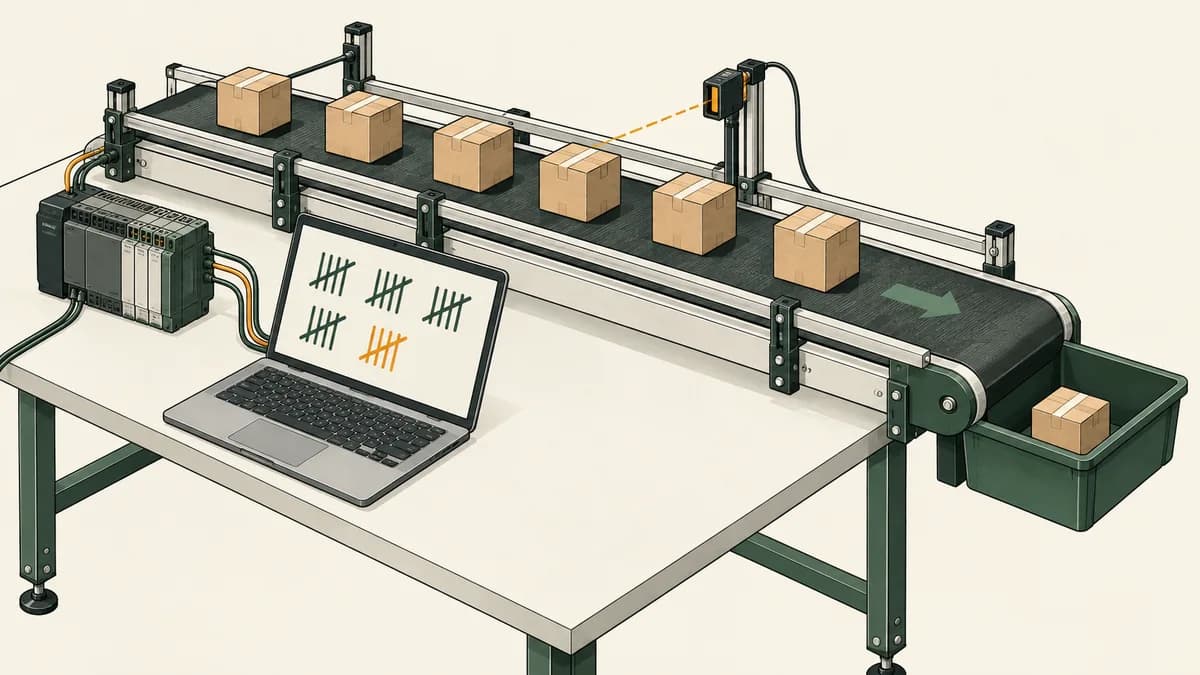
A useful Mitsubishi preparation exercise is a fictional inspection station that counts completed items. The training model has an ItemPresent signal and a CountEnable condition. The requirement is to add one to the accepted-item count when ItemPresent changes from false to true while counting is enabled. A signal that remains true for several scans must not add several items.
This is a requirements exercise, not a ready-to-download Mitsubishi program. Select the appropriate supported edge-detection and counter instructions in the actual learning environment, and verify their documented behaviour. The important idea is the difference between a continuing state and a new event.
Suppose the input sequence across five observations is false, true, true, true, false. Under this exercise's rule, that sequence contains one rising event. If the program adds one on every observation where the signal is true, it counts three times instead. That is a logic error even though the final number is a valid integer and the program compiles.
Now specify reset behaviour. Does a reset request clear the count immediately? What happens when reset and a new item event occur together? The exercise must state which action has priority. Also define what happens when counting becomes enabled while ItemPresent is already true: does that represent a new item, or must the signal first return false? Different requirements can be valid, but an unstated assumption is difficult to assess.
| Case | Supplied condition | Expected result under a declared event-counting brief |
|---|---|---|
| One new item | False to true while enabled | One increment |
| Item remains present | True across several observations | No further increment |
| Next item | Return false, then become true again | One additional increment |
| Counting disabled | New event while disabled | No increment |
| Reset | Reset under the stated priority rule | Defined initial count restored |
| Enable while present | Enable changes while ItemPresent is already true | Result follows the explicitly chosen rule |
Write the expected count before running each case. Retain the input sequence and the observations. A useful assessment asks the learner to explain why the sustained-true case differs from two separate items. The counter reference provides related concepts, while the timer and counter learning guide helps distinguish counted events from elapsed time.
Timers: a completed interval is not automatically a recurring clock
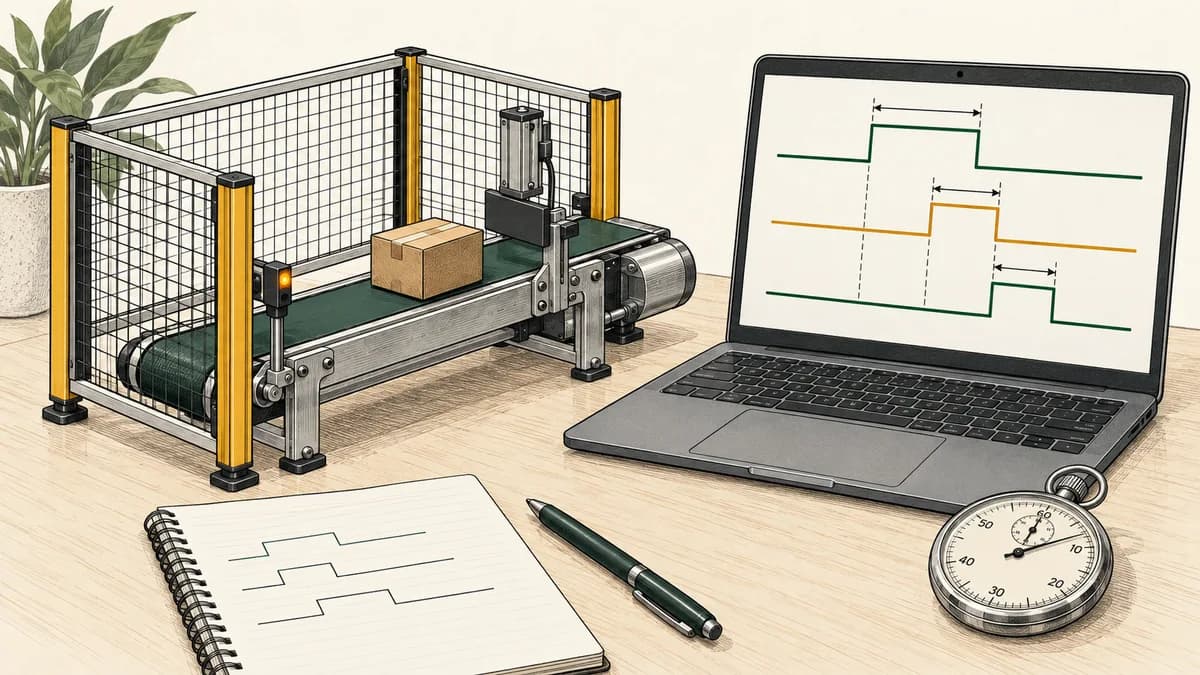
A common learning mistake is to increment a value on every scan while a timer's completed state remains true. The author may intend “once per second”, but the program may actually count repeatedly after one second has elapsed. The exact result depends on the timer and execution model; inspect it rather than inferring it from the preset alone.
Ask the course to include interrupted timing, reset and repeated-cycle cases. Record when the timer begins, what conditions allow it to continue, what its completion state means and how a new interval starts. If an exercise accumulates run time, define the required time source and accuracy instead of presenting an arbitrary repeated scan as a calibrated clock.
In your notes, separate the general requirement from the vendor instruction chosen to implement it. That makes the exercise transferable while preserving the need to check Mitsubishi-specific details. Use the browser timer learning material only for the instructions and behaviour it actually supports, then compare with the target vendor environment.
Build reusable logic without sharing state accidentally
A function-block exercise should make ownership of state visible. If two fictional inspection stations use the same logic, give each station its own count and event history where the design requires independent behaviour. Trigger one station and confirm that the other does not change.
The interesting test is not merely whether both stations can run. Interrupt one, reset the other and apply different input sequences. Explain which data belongs to each instance and which values are intentionally shared. If a shared variable affects both stations, document why that relationship exists.
Ask an instructor to review the interface as well as the implementation. Inputs should describe the information the block needs; outputs should describe the result it provides. Internal working values should not become an undocumented dependency for unrelated code. The GX Works3 function-block guide develops this topic further.
Connect a GOT screen to an explained data model
For a combined PLC and HMI course, request an exercise that traces a value from the controller to the screen and a request back to the receiving logic. Keep a displayed status separate from an operator command. A screen button changing appearance does not independently prove that the simulated process accepted the request.
Use the item-counting project as an example. Display the accepted count with a clear label, show whether counting is enabled and provide the reset interaction defined by the brief. Test the reset under the same simultaneous-event rule used in the controller exercise. The HMI should communicate the model's behaviour rather than conceal it.
Ask what happens if the application loses access to its source data. A stale count should not be presented as a newly confirmed observation. The course should explain the quality or communication indication available in its platform and verify the configured behaviour. Follow the GOT screen-design learning guide and the general HMI tag-binding guide for related study.
What simulation can and cannot establish
Simulation is useful when the model supports the behaviour you want to investigate. Confirm the simulated CPU, instruction support, timing assumptions and communication limitations in the documentation for the installed engineering software. Do not apply one historical simulator description to every Mitsubishi product and release.
A passing simulated logic test establishes an outcome within that environment. It does not demonstrate physical wiring, electrical measurement, network performance or safe machine operation. Keep those outcomes separate in the course assessment and in your portfolio. A clear limitation improves the usefulness of the evidence because another person knows what still needs verification.
The browser product linked from this site provides educational PLC practice. It should not be described as GX Works, GX Simulator, a Mitsubishi firmware emulator or an automatic route for downloading a project into a physical CPU. Use the PLC simulator selection guide to choose between conceptual practice and the vendor environment required for a specific task.

Compare Mitsubishi training in South African cities
For Johannesburg, Pretoria, Durban, Cape Town, Gqeberha and Bloemfontein, compare the actual provider and course rather than assigning a controller brand to the whole region. A machine's original equipment manufacturer, project history and current employer requirements are better evidence than a general statement about what “all local factories” use.
Ask the same practical questions wherever the course is delivered: which controller, which engineering version, how many individual exercises, what feedback and what access after completion? If travelling, include the total attendance cost. If learning online, test the required software and connection before the first session.
The regional guides for Johannesburg, Pretoria, Durban, Cape Town, Gqeberha / Port Elizabeth and Bloemfontein organise local learning questions. Confirm current provider availability directly before relying on a proposed date or venue.
Course prices, certificates and evidence of value
Obtain a current quotation for the named course and delivery format. Check VAT, software access, equipment, materials, assessment and any follow-up support. Do not compare an official instructor-led course with an independent simulator subscription as though they offer the same service.
Ask who issues the certificate and what the assessment establishes. Verify any claimed vendor authorisation or formal recognition for the exact provider and award. This website is an independent learning resource and does not issue a Mitsubishi vendor credential. A training certificate and evidence of a learner's project work answer different questions.
For value, inspect a representative exercise and feedback sample. A learner should be able to describe the requirement, implement supported logic, test changed conditions and explain limitations. Those are more useful purchasing criteria than a promise that everyone becomes job-ready after the same number of days.
Questions about Mitsubishi PLC training software
Can I learn Mitsubishi PLC programming without buying hardware first?
You can begin with official learning material and an appropriate simulation environment. Check the required software access and supported target before planning exercises. Hardware-specific outcomes still need suitable equipment and supervision; simulation should be identified clearly in your learning record.
Is GX Works3 suitable for every Mitsubishi PLC?
Do not assume universal compatibility. Mitsubishi positions GX Works3 for iQ-R and iQ-F systems; check the exact CPU and project against current documentation. Existing projects may require another engineering product or a documented conversion route.
What should I learn before a GX Works3 course?
Practise digital signals, Boolean conditions, state, event counting and basic test writing. Read the course prerequisites and attempt its suggested preparation. Mitsubishi's official e-learning catalogue offers relevant introductory material, while independent browser practice can help with concepts within its declared scope.
Why does my learning counter count repeatedly for one item?
Check whether your program responds to a sustained true condition instead of the intended event. Record the input sequence and the count at each observation. Then verify the target instruction's documented event and reset behaviour. Do not change the preset to hide an unexplained repeated increment.
How do I show employers what I learned?
Keep a small project with the exact environment, requirement, data dictionary and changed-condition tests. Explain at least one error you found and how the evidence led to the correction. Distinguish simulated work from supervised physical work and from production experience.

Build one defensible example before adding complexity
Start with the item-counting brief, including sustained inputs, reset and simultaneous events. Explain the data ownership, then extend it to a second independent station or a simple HMI. Keep each change small enough to test and describe.
Use the official Mitsubishi resources for the required engineering workflow and the browser PLC practice environment for supported preliminary exercises. The aim is a learning result you can reproduce and explain, with a clear next step toward the target platform.