reference · South Africa
IEC Counter Instructions: Edges, Reset and Load Tests
Understand IEC counter instructions through edge, reset, load and simultaneous-event tests, with vendor references and South African training questions.
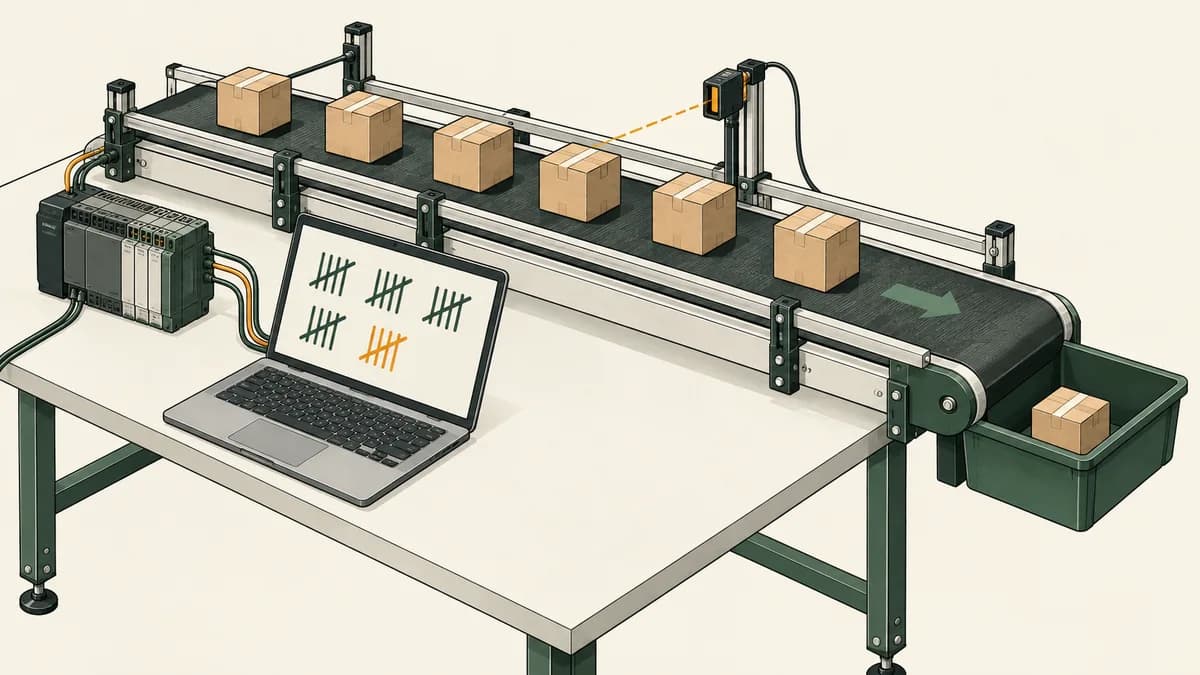
This IEC counter instructions reference explains the stored state behind CTU, CTD and CTUD-style counting. The important questions are what qualifies as an event, what reset and load change, which limits apply and when the program reads the updated count.
A counter does not establish how many physical objects moved merely because a numeric field increased. It records the events supplied to its implementation. Input acquisition, reset history, duplicate processing and reconciliation all affect the relationship between that value and the process being represented.
The worked examples below use a disconnected up/down model with capacity five. They make simultaneous edges, load requests and reset priority explicit. Use them to assess a South African PLC course or to prepare a reviewable learning project, then compare the model with the exact native instruction you intend to use.
Separate the input level from the observed event
A Boolean input can remain true for many program evaluations. A rising edge is the observed change from false to true. An edge counter increments for that change rather than adding one simply because the current input is true.
That distinction does not mean every counter needs an additional one-shot instruction. The official Rockwell FactoryTalk Design Studio CTU documentation describes counting false-to-true rung transitions and the stored CU enable state. Its counter therefore already contains the state needed for that behaviour.
The same documentation describes prescan handling and an example that continues counting beyond the preset. These details belong to the documented instruction. Do not replace them with a universal claim that all counters saturate at their target or all counters require an external edge block.
For the simple input sequence false, true, true, false, true, an edge detector with initial history false reports zero, one, zero, zero, one events. Starting at zero, the cumulative count becomes zero, one, one, one, two.
A level-sensitive increment would instead produce zero, one, two, two, three. Both are possible programs, but they answer different questions. Write the intended event definition before selecting an instruction or diagnosing the result.
The PLC scan-cycle lesson explains why history must be read before it is overwritten. Updating PreviousInput before testing for a change removes the evidence needed to detect that change.
Read the complete counter interface
Identify the count input, reset or load inputs, preset, current value and output comparisons. Parameter names and data types vary. A code example using R and an INT value is not automatically the declaration for every block called CTU.
| Interface item | What to establish |
|---|---|
| CU or count-up condition | Whether the instruction detects a rising edge internally |
| CD or count-down condition | The event that requests a decrement |
| Reset | Which count and control-state fields are cleared |
| Load | Which value is assigned and when loading has priority |
| Preset | Whether it is a target, starting value, limit or more than one |
| Current value | Its data type and supported range |
| Outputs | The exact comparisons that make each output true |
The CODESYS CTD reference describes a WORD start value loaded through LOAD, decrementing on CD rising edges and Q true at zero. That is a specific contract, not a generic interpretation of every vendor's Done bit.
The CODESYS CTUD reference lists separate count-up, count-down, reset and load inputs, with QU and QD outputs. It explicitly notes a data-type difference between its WORD preset and the INT form it identifies in the standard. This is a useful reminder to read the actual library interface.
A short interface page may not answer every simultaneous-input question. If precedence is not stated clearly enough for your application, mark that detail unresolved and obtain stronger documentation or run a focused native test. Do not fill the gap with assumed universal behaviour.

Define an application counter independently of a native block
For the worked model, Count is an integer from zero through five. UpInput and DownInput are supplied Boolean signals. PreviousUp and PreviousDown store their values from the preceding evaluation. Reset and Load are Boolean commands; LoadValue is a separately supplied number.
Initialise Count zero and both history values to their supplied initial inputs. A signal already held true at initialisation is therefore not treated as a fresh event. The main trace starts with both inputs false, so the initial histories are false.
Calculate UpEdge and DownEdge from the current inputs and their old histories. Then apply the following decision order:
- If Reset is true, set Count to zero.
- Otherwise, if Load is true, accept an integer LoadValue from zero through five; reject any other value and retain Count.
- Otherwise, calculate one net change: UpEdge minus DownEdge. Add it to Count, then clamp the result between zero and five.
- Update both raw input histories on every evaluation, including reset, accepted load and rejected load evaluations.
Set LoadRejected true only when a load is evaluated and its value is invalid. Reset wins over Load, so a simultaneous reset does not evaluate the load request. Set LoadRejected false on other evaluations.
LowerReached means Count equals zero. UpperReached means Count equals five. These outputs refer to the fixed application capacity, not to the latest LoadValue. Loading three does not change the upper capacity to three.
This is an explicit custom model. It is not presented as an implementation of CODESYS CTUD or a native Rockwell counter. Its value is that every competing request has a stated outcome you can test.
Replay a fourteen-evaluation up/down trace
The table uses a LoadValue of three whenever Load is true. Reset is false throughout this first trace. Evaluate each row once in order and record the resulting count.
| Row | Up | Down | Load | Count after evaluation |
|---|---|---|---|---|
| 1 | 0 | 0 | 0 | 0 |
| 2 | 1 | 0 | 0 | 1 |
| 3 | 1 | 0 | 0 | 1 |
| 4 | 0 | 0 | 0 | 1 |
| 5 | 1 | 1 | 0 | 1 |
| 6 | 0 | 0 | 0 | 1 |
| 7 | 1 | 0 | 1 | 3 |
| 8 | 1 | 0 | 0 | 3 |
| 9 | 0 | 0 | 0 | 3 |
| 10 | 1 | 0 | 0 | 4 |
| 11 | 0 | 0 | 0 | 4 |
| 12 | 1 | 0 | 0 | 5 |
| 13 | 0 | 0 | 0 | 5 |
| 14 | 1 | 1 | 0 | 5 |
Row three tests a held input. Row five tests two fresh edges together; their net change is zero. Row seven loads three and discards that evaluation's count event because loading has priority.
Row eight is especially useful: Up remains held after loading, so it does not generate another event. Raw history was updated during the load evaluation. A design that freezes history while loading could incorrectly count that held input when loading ends.
Row fourteen tests simultaneous edges at the upper limit. The specified net change is zero, so Count stays five. The sequence was checked in an independent software model; reproduce it in your chosen environment before claiming your own implementation passes.
The parking-garage counter exercise offers a larger occupancy example with a separately defined capacity. Keep the small reference model available when investigating its boundary cases.

Combine simultaneous changes before clamping
The order of arithmetic and clamping matters at a limit. At Count five, an up edge and a down edge together should produce zero net change under this model.
If a program first increments and clamps to five, then decrements, it finishes at four. If it first decrements and then increments, it finishes at five. The two versions have silently made the result depend on statement order.
At Count zero, the opposite ordering can create the opposite error. Decrementing and clamping first, then incrementing, produces one. Combining the changes first produces zero, which matches the stated simultaneous-event rule.
| Starting count | Up edge | Down edge | Required net change | Final count |
|---|---|---|---|---|
| 0 | 1 | 1 | 0 | 0 |
| 3 | 1 | 1 | 0 | 3 |
| 5 | 1 | 1 | 0 | 5 |
This is not a claim that simultaneous edges must always cancel in every application. A different system may deliberately prioritise one source, queue events or report a conflict. The important point is to define that policy before choosing an arithmetic implementation.
Also distinguish two true inputs from two fresh edges. If Up was already true and Down has just risen, there is only one new event: the down edge. Comparing input levels alone would miss that distinction.
Test reset, load and invalid requests separately
Start from Count two with both previous inputs false. Apply an up input and Load together. With LoadValue three, the result is three, not four. With LoadValue zero, the result is zero. With LoadValue five, the result is five.
Now repeat with LoadValue minus one, six and two-and-a-half. Each is invalid under the integer zero-through-five contract. Count remains two and LoadRejected is true. The up event is still consumed because the raw input history is updated on that evaluation.
If Load becomes false on the next evaluation while Up remains true, Count remains two. To produce another up edge, the model must observe Up false and then true. Rejecting a load is not permission to replay an old count event later.
Apply Reset and Load together with both count inputs true. Reset produces Count zero and LoadRejected false. Both input histories become true. Releasing Reset while leaving the inputs held does not create new count edges.
These tests separate value validation, command precedence and input history. A single “reset works” screenshot cannot prove all three. Save the starting count and previous input values with each result so the test can be reproduced.

Check what a native reset changes besides the number
A native reset may clear more than the visible accumulated value. The official Rockwell RES documentation states that resetting a COUNTER clears its accumulator and control status bits.
Combined with the CTU edge-state behaviour documented earlier, this means a reset and a subsequent true count condition need careful examination. Clearing the stored control state can affect whether a later execution treats that true condition as countable. Do not assume that a native reset preserves the raw history policy of our custom model.
For a native test, record the relevant control bit before reset, immediately after reset and at the next count instruction execution. Record the order of count and reset instructions as well. This makes an extra count after reset explainable rather than mysterious.
The discussion is an inference from the documented state changes, not a claim that this page has executed that sequence on every controller. Use the exact instruction and firmware when verifying a native project.
An external one-shot is not a universal repair for an unexplained count. First establish whether the counter already detects edges, what reset changes and whether the same event is processed by multiple calls. Additional history introduces its own startup and reset questions.
Read the updated count at the intended call site
A counter's output is not inherently delayed until the next scan just because it is accessed through an instance name. In an ordered software model, a read before the state update sees the earlier value and a read after it sees the updated value.
For Count two and one accepted up edge, BeforeCount is two and AfterCount is three. If Reset is applied on the next evaluation, BeforeCount is three and AfterCount is zero. A reader placed before the update can therefore lag both an increment and a reset.
Keep the count update and its consumers in a documented order. If a downstream decision needs the newly calculated value, verify that it reads after the update. If it deliberately needs the previous value, name that snapshot clearly.
The timer instance and call-order reference develops the same integration issue for timer state. The transferable question is which version of a stored value each statement consumes.
Avoid sharing a single instance between independent counting requirements unless the documented instruction arrangement explicitly requires that shared state. List every caller and every direct write to the count or its control fields during review.

Separate the preset, capacity and data-type boundary
A preset can be a comparison target, a load value or an incrementing limit depending on the instruction. Application capacity is a requirement such as five virtual spaces. The data-type boundary is the representable numeric range. Those three concepts should not be collapsed into one number.
In our model, capacity remains five even when the load value is three. A native instruction may use its preset differently. If you substitute a block without comparing that behaviour, a correct-looking parameter assignment can change the meaning of the program.
For a totaliser, stopping at a small target may be inappropriate. For an occupancy model, allowing negative values may violate the application's definition. For a batch counter, resetting after a confirmed batch transition may be required. Each use needs its own limit and reconciliation rules.
Do not assume that every sixteen-bit counter wraps or every thirty-two-bit counter avoids overflow. Read the exact data type and instruction boundary behaviour. A wider type changes the representable range; it does not repair duplicate events or establish the correct reset policy.
Use the timers and counters tutorial for a smaller saturating up-counter example. Compare that example's explicit upper limit with any native block used to implement it.
Recognise the limits of software pulse counting
A software edge detector can only compare the observations supplied to it. If the input goes true and false between all of its observations, the detector receives no rising edge. If it receives a continuously true value, it cannot infer how many unobserved pulses occurred underneath that value.
For high-rate inputs, investigate the supported acquisition mechanism, module filtering, update timing and task behaviour. A hardware counter or timestamped event mechanism may provide different capabilities from ordinary sampled Boolean logic. Its limits still need to be checked.
A quadrature encoder requires interpreting the relationship between channels. Connecting two raw phases to an ordinary up/down counter is not by itself a complete quadrature decoder. The original signal states, transition sequence and acquisition method matter.
Likewise, resetting a position count does not automatically correct an unknown physical position or establish a valid reference. Define the source of reconciliation evidence. A count reset is a software operation; the meaning of zero belongs to the application.
For a learning portfolio, label supplied pulses as simulated observations. Do not present their correct arithmetic as evidence of physical sensing accuracy or a measured production throughput.
Preserve count meaning through interruptions
A value retained between ordinary calls may have a different lifecycle during restart, download or memory initialisation. Document which events preserve the count and which deliberately start a new experiment.
Also document what happens to events while the program is unavailable. Restoring an old count after an interruption does not prove that no unobserved events occurred. A reconstruction or reconciliation process may be needed before interpreting the restored value as current.
For a classroom extension, create a supplied reconciliation value with validation and a recorded reason. Test it separately from normal count events. Use the same discipline as the load tests: state priority, reject invalid values explicitly and explain which input histories are updated.
The PLC troubleshooting guide helps organise this investigation. Preserve the initial count, event history and interruption context before changing the logic, so the original discrepancy remains understandable.

Build a counter reference portfolio and course comparison
Save the event-versus-level example, fourteen-row up/down trace, simultaneous-limit table and reset/load fixtures together. Add the native instruction declarations used in your own project, with links to the exact documentation versions.
For each test, record current inputs, previous inputs, command precedence, count before and after, and output comparisons. Mark whether the evidence comes from a custom model, a controller simulator or actual hardware. Those are different validation scopes.
Explore the PLC counter learning examples when choosing software practice. Check the supported representation and access level before expecting a native instruction or a prebuilt copy of this model.
For help inspecting evaluation order, the scan-cycle highlighting feature is a relevant companion. Connect the visual state with your recorded count and history rather than treating animation as proof of event acquisition.
When comparing courses in Johannesburg, Pretoria, Durban, Cape Town or elsewhere in South Africa, request an exercise that includes held inputs, reset, loading and a count limit. Confirm the actual venue, controller family, software version and whether an instructor reviews your individual results.
For remote study, use the online PLC training guide to check access duration and feedback arrangements. Mentioning a city here does not imply a local branch or scheduled course from this website.
Does an Allen-Bradley CTU need an ONS to count once?
The Rockwell CTU reference cited above already describes false-to-true transition counting. Do not add a one-shot merely because of the brand name. Inspect the specific instruction, its reset behaviour and the input sequence being processed.
Why does the count change after reset while the input stays true?
Check whether reset cleared the instruction's edge-control state and when the next count instruction executed. Our custom model preserves current raw history during reset, but a native reset can have different effects. Test the actual implementation.
Do simultaneous up and down inputs always cancel?
Two true inputs are not necessarily two fresh edges. Our model cancels simultaneous fresh edges by combining their net change before clamping. Other implementations need their own documented precedence and boundary checks.
Is a preset the maximum count?
Not universally. A preset may be a target, a starting value or a limit depending on the instruction. Compare it with application capacity and the data-type range before assuming that counting stops there.
What is the strongest evidence that my counter works?
A reproducible trace covering normal events, held inputs, reset, load, simultaneous edges and limits, with the actual initial state and implementation recorded. The expected values here were independently checked in software; your own project still needs observations that support its specific contract.