for · South Africa
PLC Training Software for South African Training Centres
Choose PLC training software for South African training centres with a curriculum map, cohort pilot, assessment rubric and buying questions for your team.
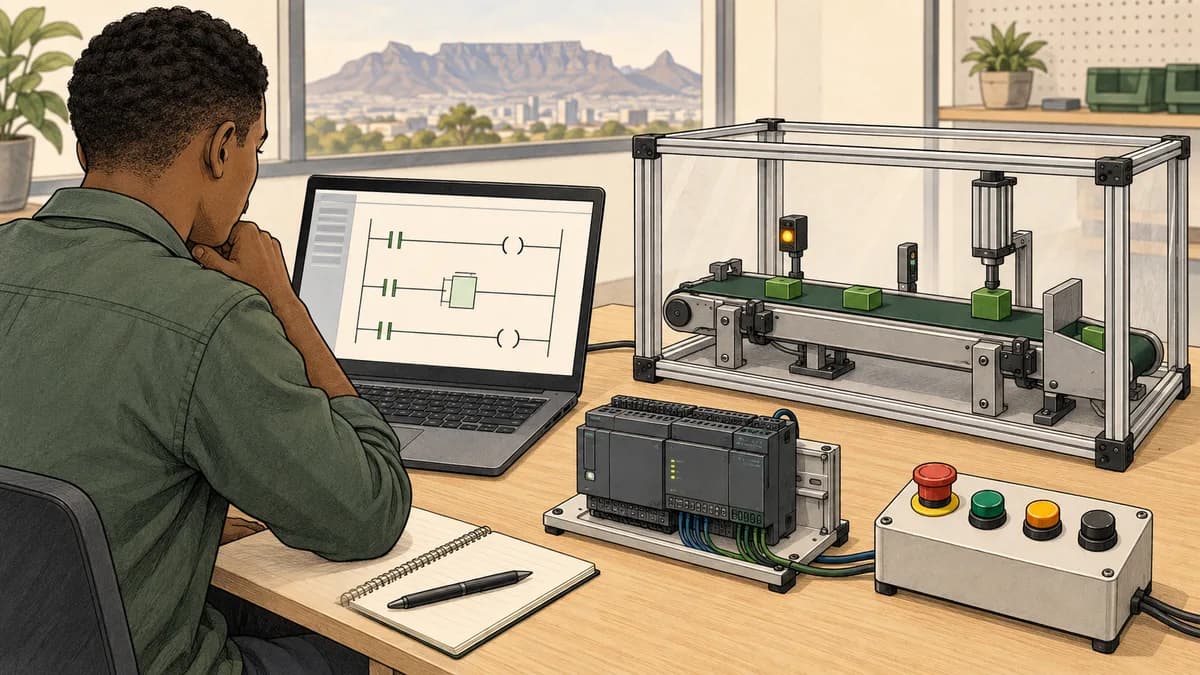
PLC training software for a South African training centre should give each learner repeatable practice, help instructors assess individual understanding and fit the centre's existing programme. Start with the skills you need learners to demonstrate, then evaluate the simulator, reporting and commercial terms against those requirements. A software subscription does not establish a provider's accreditation or replace supervised work with industrial equipment.
This guide is for TVET lecturers, private training providers, workplace academies and procurement teams choosing a PLC simulator for a class. It includes a sample curriculum map, a cohort evaluation, an assessment rubric and questions to put in a supplier request. For the product discussed here, begin with the PLC simulator for training centres, then test its current capabilities with your own instructors and learners.
Define the teaching problem before buying simulator seats
A shared training rack can be useful for demonstrations and supervised practical work. It becomes a bottleneck when only one learner operates the software while the others watch. Before buying anything, observe a lesson and record how much individual programming, testing and explanation each learner performs. A room full of occupied benches does not necessarily mean everyone receives meaningful practice.
Separate the problems you discover. Limited bench access calls for more opportunities to practise. Learners who copy a working rung without understanding it need changed examples and individual explanation. Instructors who spend a lesson resolving access problems need a simpler setup process. A dashboard may help identify incomplete work, but it cannot fix an unclear exercise brief or an unsuitable starting level.
Write a short requirement such as: “Each learner must build a start-stop sequence, test specified abnormal conditions and explain the result independently before the next workshop.” This gives the centre a concrete trial task. Compare candidate tools using that same task instead of comparing the number of features advertised on their homepages.
For a broader decision about subjects and delivery formats, use the South African PLC course selection guide. If the training is for an existing maintenance team, the PLC learning guide for maintenance managers helps frame the workplace outcome.
Match the software to your learners and teaching environment
TVET and engineering students
Students entering their first PLC module need clear relationships between a device, an input, a variable and a program condition. They may be comfortable with electrical theory while unfamiliar with a cyclic controller. Ask them to predict a small program before they run it. Their explanation reveals more than a completed screen alone.
Check the terminology against your actual learning materials. An exercise can teach transferable control concepts without reproducing every instruction name or hardware configuration of a vendor platform. Record these differences in lecturer notes so learners know which ideas transfer and which details they must verify later. The PLC preparation guide for engineering students provides a related starting point for independent study.
Private short-course providers
A short course has limited contact time. Decide which tasks learners can prepare beforehand and which need an instructor present. A browser exercise may help establish basic logic before a workshop, but the provider must still check that learners completed and understood it. Include a brief entry task rather than assuming that a pre-course link guarantees readiness.
Keep the course promise precise. “Practise interpreting digital inputs and testing ladder logic” is assessable. “Become an automation engineer in a weekend” is not a credible outcome from a small introductory module. Advertise the target level, prerequisites, platform and assessment so buyers understand what they are purchasing.
Employer and workplace academies
Workplace cohorts often contain experienced electricians, instrument technicians and newer employees. A single starting level may frustrate one group and leave another behind. Use an initial explanation task to identify gaps, then assign appropriate practice. Familiarity with plant equipment should not be treated as proof of programming fluency.
Use fictional or approved teaching examples when bringing workplace problems into a hosted learning tool. A useful example can preserve the reasoning challenge without exposing a live project's source, network details or customer information. Confirm the employer's requirements before importing any proprietary material.

Build a curriculum map from observable outcomes
The following is a suggested teaching sequence, not a claim of alignment to a particular qualification. Your lecturer or programme lead should map each outcome to the current syllabus, assessment rules and equipment available at the centre. The supplier's PLC curriculum mapping resources can help with the comparison; they do not approve the programme on your behalf.
| Teaching block | Learner demonstration | Useful retained evidence | Follow-up in supervised practical work |
|---|---|---|---|
| Digital inputs and outputs | Explain why a condition changes a program result | Annotated signal path and prediction | Identify corresponding devices and terminals |
| Scan and state | Explain why a value persists or changes between scans | Short before-and-after trace | Compare with the selected controller's behaviour |
| Start-stop logic | Test start, stop and loss of a stated permissive | Program and test table | Review the real control circuit with the instructor |
| Timers and counters | Distinguish elapsed time from counted events | Boundary and reset cases | Verify platform-specific instructions |
| Analogue values | Convert a declared input range into engineering units | Worked values with units | Review instrument specifications and measurement practice |
| Fault diagnosis | Separate a symptom from its possible causes | Hypotheses, observation and proving step | Apply the authorised workshop procedure |
For an example of a South African institution describing its industrial training approach, review the North-West University Industrial Automation Training Centre. Its published Siemens partnership and instructor information illustrate the kind of provider-specific evidence to verify; they do not establish the status of an unrelated software product.
Avoid mapping by topic name alone. Two courses can both list “timers” while expecting very different competence. One may require identifying a timer block; another may require explaining reset behaviour after an interrupted sequence. Write the action the learner must perform and the evidence an assessor will accept.
The timers and counters learning guide supports that block. For a broader instrumentation pathway, compare the process control training guide. Keep networking and electrical practical outcomes separate where they require different tools, prerequisites or supervision.
Use a blended timetable that gives everyone a turn
A practical blend has three stages: preparation, taught practice and individual verification. During preparation, learners read a concise concept and attempt a small prediction. During class, the instructor explains the common mistakes and observes learners applying the idea. During verification, each learner receives a changed case and explains the result independently.
For example, the class may begin with a basic start-stop simulation. The changed assessment case adds a process permissive whose meaning is explicitly defined in the brief. The learner must explain what happens when that permissive disappears and whether a fresh start request is required afterwards. This tests state and restart reasoning rather than recollection of a drawing.
Schedule hardware sessions around the learning outcomes that need physical evidence. Software practice can prepare learners to interpret a signal path, but it does not demonstrate termination quality, measurement technique or safe equipment handling. Keep those outcomes in the supervised workshop with the appropriate equipment and procedures.
For centres in Johannesburg, Pretoria, Cape Town, Durban or smaller towns, the delivery question is practical: can the intended learners reliably access the required activity at the times you assign it? Test the actual classroom connection and representative home-study arrangements. Geography alone does not prove connectivity, device availability or learner support needs.

Run a small cohort evaluation before a full rollout
Choose a representative group rather than only your strongest students. Include the instructor who will teach the module and somebody responsible for learner access. Agree a short evaluation period, a specific exercise and a decision date. The supplier publishes an institutional evaluation plan; use it as an input to your own trial design and confirm the offered access before scheduling learners.
Check access and classroom readiness
Ask participants to open the service using the devices, browsers and network they will actually use. Test account invitations, password recovery and the intended exercise. Record the time and assistance required. A successful demonstration on the sales presenter's laptop does not establish readiness across the centre's computer room.
Test interruption recovery deliberately within the learning environment. Close and reopen an exercise, sign out and return, and check what is retained. Record the observed behaviour instead of assuming that browser software works offline or automatically saves every action. Where connectivity is unreliable, decide how the lesson continues without access to the service.
Teach one concept and measure individual understanding
Give learners a short baseline task before teaching. After the lesson, present a comparable task with changed conditions. Keep the difficulty similar enough to make the comparison useful. A different result may reflect practice, instruction or familiarity with the interface; a small pilot cannot isolate those effects perfectly.
Record both the outcome and the explanation. A learner who reaches the correct state by repeatedly changing values may need further support even if the simulator marks a case as passed. Ask what they predicted, what they observed and why the observation supports their explanation.
Test the instructor's complete workflow
The instructor should assign the activity, identify a learner who needs help, review the relevant work and retain the evidence required by the programme. Test an incomplete attempt as well as a completed one. This exposes whether the available report answers the teacher's actual question or merely shows aggregate activity.
At the end, document which requirements passed, which remain uncertain and which the product does not meet. A good evaluation can result in a smaller purchase, a different teaching arrangement or rejection of the tool. Its purpose is a defensible decision, not a predetermined subscription.
Assess reasoning alongside automated results
Use a rubric that distinguishes the program result from the learner's reasoning. The example below is a suggested local assessment design; it is not an official occupational assessment instrument. Adapt it with your programme's assessment lead before use.
| Dimension | Evidence of a strong response | Reason to ask a follow-up question |
|---|---|---|
| Requirement interpretation | States the initial condition and expected behaviour | Assumes an unstated restart rule |
| Program reasoning | Explains the signal and state changes in order | Describes only the final output |
| Test coverage | Includes normal, boundary and interruption cases | Demonstrates one successful cycle |
| Diagnosis | Uses an observation to distinguish possible causes | Changes several conditions without a prediction |
| Transfer | Names what must be checked on the target platform | Assumes a simulation proves physical operation |
For a simulated batching exercise, ask the learner to test the target count, the reset condition and an interrupted cycle. Have them explain whether the counter receives an event or a sustained condition under the stated program design. A screenshot of a final count cannot establish that the sequence behaves correctly in each case.
Retain enough context for another instructor to understand the submission: exercise version, stated assumptions, program or permitted export, test results and assessor feedback. Avoid collecting unnecessary personal information in shared class documents. The centre should decide who can see individual work and how long it is retained under its own applicable policies.

Verify reporting, LMS integration and certificate wording
Ask for a demonstration of the current reporting workflow using a small sample cohort. Check what can be exported, which fields appear and whether the result can be associated with the correct learner in your records. A downloadable file and an automatic connection to a college learning management system are different capabilities.
The product's institutional procurement pack explicitly lists current capability gaps, including LTI launch, automatic LMS gradebook passback, SAML SSO and offline use. Confirm requirements against the current pack before purchase. Do not build a rollout around an integration that has merely been requested or discussed.
For certificates, review a current sample and its verification process. Confirm the issuer, the achievement described and any organisation name displayed. A product certificate should not be presented as a nationally recognised qualification unless the relevant status has been independently established for that exact award. Your centre remains responsible for its own assessment and certification decisions.
The free versus paid PLC training comparison helps distinguish access cost from feedback and assessment. Use that distinction when deciding which parts of a module can use independent practice and which require paid instructional support.
Compare the full cost of delivery
Request a written quotation for your actual cohort and purchasing arrangement. Separate software access, instructor time, device provision, connectivity, practical equipment and administration. If a quotation uses a foreign currency, record the exchange-rate assumption and any taxes or payment charges that procurement needs to assess. Avoid comparing a software subscription with a classroom course as though they purchase identical services.
Use a simple planning model: total teaching-resource cost divided by the number of learners expected to use it meaningfully. Then test the assumptions. An apparently inexpensive seat is poor value if the learner cannot access the assigned activity. A higher-cost tool may be justified if it meets a required assessment or platform outcome that alternatives cannot support.
Ask the supplier to confirm seat assignment, reassignment, renewal, cancellation and export arrangements in writing. Check how access changes when a learner leaves the organisation. Treat pricing and contract terms as current quotation details, not permanent properties of an article. Review the current PLC Simulator pricing when preparing the purchase request.

Prepare a useful request for a demonstration or quotation
Send suppliers the same brief so their responses can be compared. Include the learner profile, cohort size, starting level, target controller families, planned module dates and the practical outcomes the centre will assess. Describe any mandatory integration, accessibility or reporting requirement before the demonstration.
Ask each supplier to show one learner completing your representative exercise and one instructor reviewing the result. Request a sample export and an explanation of its fields. If a feature is unavailable, record the gap and evaluate any proposed workaround using the same standard as the original requirement.
A useful purchasing record contains the requirement, observed evidence, unresolved question and decision owner. For example, a lecturer may accept a manual progress export while the administrator confirms how it fits the college's records. Procurement should not be left to infer academic suitability from a feature list, and instructors should not have to infer contract terms from a demonstration.
Questions South African training centres often ask
How should schools and TVET colleges evaluate PLC simulation software?
Schools may need introductory logic exercises, while TVET colleges may need practice aligned with a particular module and its assessment. Demonstrate one lesson with representative learners and the actual classroom devices. Check account arrangements, learner suitability, network access and instructor oversight with the supplier before procurement. Record which outcomes the software supports and which still require laboratory instruction; an attractive simulation alone does not establish curriculum fit.
Can a PLC simulator replace a physical training rack?
It can provide additional programming and reasoning practice, but it does not demonstrate physical wiring, measurement or equipment handling. Decide which outcomes require hardware and retain suitable supervised practical sessions. Compare the PLC simulator selection guide when deciding between browser learning tools and vendor-specific environments.
Can we teach Siemens or Allen-Bradley concepts with browser software?
A browser tool may support transferable concepts or vendor-style notation. That does not make it the vendor's engineering environment or prove compatibility with a physical controller. Check the exact instruction behaviour and use the required vendor software for outcomes that depend on its project structure, diagnostics or hardware configuration.
Is an online PLC course suitable for a TVET class?
It can supplement a class when the level, access and assessment fit the programme. Pilot it with representative learners and map the exercises to your actual syllabus. Do not infer suitability from “TVET” appearing in a product description or from a list of familiar topic names.
How many simulator seats should a training centre buy?
Base the decision on the intended individual practice and the supplier's licence terms. Determine who needs access, when they need it and whether reassignment is permitted. Test the proposed arrangement with a timetable before placing a larger order. Shared access should not erase individual assessment evidence.
What should we ask about low-bandwidth or interrupted access?
Ask which activities require a live connection, what is saved and how learners recover after an interruption. Test these conditions on representative devices. Do not assume that a browser application is an offline application or accept an unsupported bandwidth figure as proof of classroom suitability.
Will simulator reports satisfy our external reporting requirements?
Compare the actual report with the evidence your programme requires. A record of software activity may support teaching records but may omit attendance, assessor decisions or other required information. The person responsible for programme quality should determine what additional evidence the centre must retain.

Start with one teachable module and a clear decision
Select a module small enough to evaluate properly, such as digital inputs, start-stop logic and a defined restart condition. Have the lecturer complete it first, then run it with representative learners. Retain the access findings, learner explanations, instructor workload and export samples in one decision record.
If the tool fits, expand through the curriculum map and review the next cohort's experience. If it does not, record the missing requirement and choose an alternative or revise the teaching arrangement. Begin the practical comparison with the free browser PLC demonstration, then use the institutional pages for the questions that require a supplier response.