brands · South Africa
GOT2000 Screen Design: Labels, Scripts, Recipes and Tests
Design GOT2000 screens with GT Designer3: model checks, device and global labels, signed values, scripts, recipe handling and clearly defined testing.
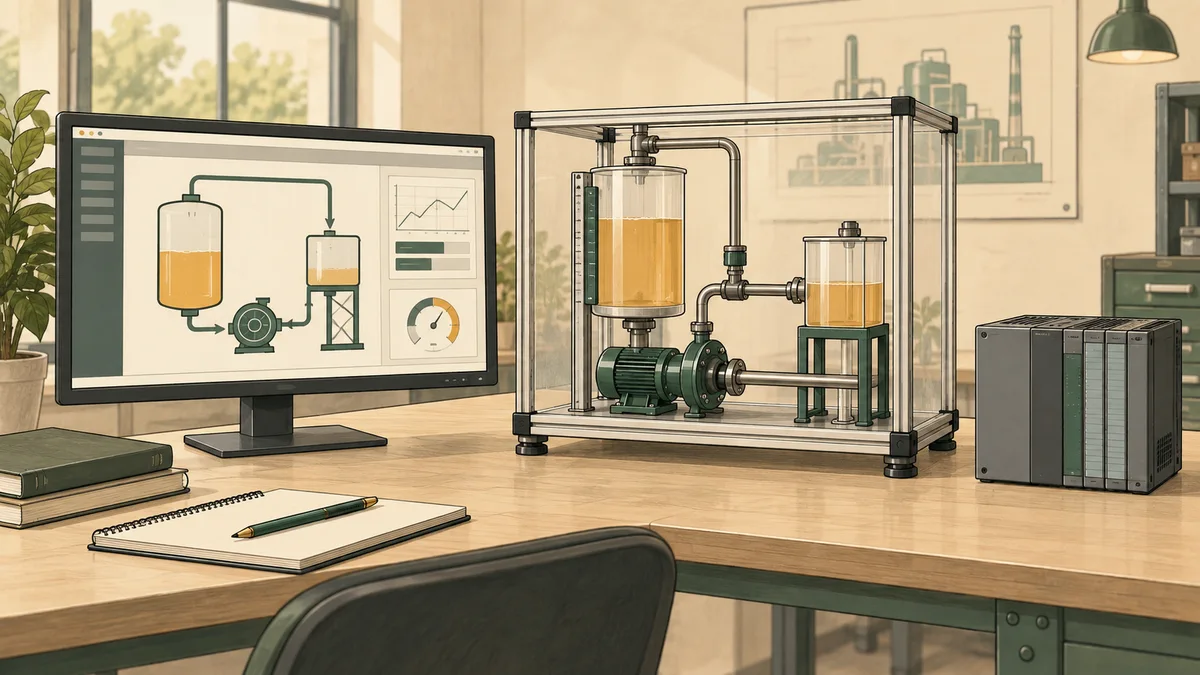
GOT2000 screen design belongs in the Mitsubishi Electric GT Works3 toolchain, using GT Designer3 for the appropriate GOT project. GX Works3 is the PLC engineering environment, so a tutorial should distinguish the controller project from the screen project and identify how they are connected. Good screen design then makes the source, meaning and usability of each displayed value clear.
This guide covers model selection, device and label binding, numerical representation, scripts, recipes and testing. It includes a fictional display-validation exercise for South African learners and training teams. The calculations are independent expected results, not measurements from a GOT or a claim that the linked browser simulator executes native GT Designer3 projects. Product documentation was checked on 12 September 2026.
Identify the GOT model before creating the project
Record the complete panel model and the installed engineering-software version. Do not choose a target from a guessed sequence of model names or assume that every GT21 panel is a different size of the same fully featured product. Screen resolution, interfaces, memory and supported functions depend on the actual model and its documented specifications.
Mitsubishi Electric's GOT2000 function list compares the series and includes model-specific notes. Use those notes when checking requirements such as logging, storage and screen objects. A tick in a broad family column should be read with its conditions; an accessory or a particular submodel can change what is available.
Start a learning project with a small requirements list: the target panel, connected controller, intended communication method, screen resolution and the functions the exercise needs. A class that only needs numerical displays and lamps has a different scope from a project requiring records, historical data and authenticated operations. Confirm the relevant support before spending time drawing screens around unavailable functions.
For PLC-family selection, use the Mitsubishi training hub and the controller documentation for the actual target. A GOT can be part of several kinds of system, so its brand does not establish that every connected controller uses the same addressing or symbolic access. The connection configuration is part of the project, not a detail that can be inferred from the screen's appearance.
Keep the PLC project and the HMI project distinct
The PLC programme defines controller behaviour. The HMI project defines screens, objects, user interactions and supported GOT functions. Their data relationship should be documented so that a reviewer can identify where each value originates and what an operator action requests. A screen button and the action it requests are not the same evidence.
Name the relevant controller project and revision in the HMI learning record. Also name the HMI project revision and its target. If you import data from a controller project, retain enough information to identify which source you used. An HMI bound to an older interface can still display plausible values, so the fact that the project opens is not proof that it matches the intended controller.
A useful first screen has only a few clearly defined objects: one process value with units, a state indication and an input whose effect is described. Keep command requests distinct from feedback. For example, an indication labelled Request sent should not be relabelled Running unless its data source actually establishes the running state required by the exercise.
Use the HMI and SCADA overview to frame the relationship between display and control. A screen-design lesson should not imply that a graphical object alone supplies a complete operating procedure, a protection function or a verified physical outcome. Its evidence should stay within the behaviour and environment actually tested.

Device labels and global labels are not one universal feature
A meaningful label can make a screen easier to maintain, but it does not remove the need to understand the underlying source. Document the label, its connected device or supported symbolic source, the data type and the intended meaning. If an object uses a direct device address, keep that address in the interface record so another person can verify it.
Mitsubishi's label and global-label guidance distinguishes ordinary labels assigned to devices from supported global-label access. It documents a label-group route and a separate global-label import route, with controller and GOT restrictions. In particular, the described global-label function is not a blanket capability for every GT21, GS21 or arbitrary controller connection.
For an ordinary label group, the vendor guidance identifies Common, Label, New Label Group. For the global-label workflow described there, it identifies Project, Import Other Data, Global Label. Confirm these against the help for your installed version and actual connection. Do not replace them with an invented generic “Tag Import” menu and assume every source type will be preserved automatically.
After importing or changing interface data, inspect the affected objects. A renamed source, changed type or changed mapping can require more than a visual label edit. Keep the data relationship visible and test the affected behaviour. A readable name helps the reviewer, but it cannot compensate for a wrong device, incompatible representation or outdated source project.
Design a numerical display around a declared representation
For every displayed value, state the source representation, engineering unit and presentation rule. A stored integer representing tenths of a degree is different from a floating-point value already expressed in degrees. Adding a decimal point to the display is not the same operation as validating a measurement or changing the controller's stored value.
Ask four questions before choosing the numerical object's format. Is the source signed or unsigned? How many bits or words does it occupy? Does it use a scale factor? What indicates that the information is usable? The PLC data conversion reference helps organise those questions, while the actual device and object documentation determines the supported settings.
Test zero and negative values where the requirement permits them. An example that clamps all nonpositive values to zero can hide legitimate measurements and data problems. Similarly, a display that converts an unreadable source into a normal-looking zero makes it hard for a learner or operator to distinguish valid zero from missing information.
Do not apply a scale factor twice. If the PLC has already converted raw input into engineering units, an HMI calculation copied from a raw-value example can produce an incorrect result. Record where conversion occurs and test known values. The goal is a traceable representation from source to display, not merely a number that moves when the training input changes.

Worked exercise: signed data, scale and valid display text
A fictional classroom interface supplies TempWordStudy as a sixteen-bit unsigned storage word. Its bit pattern represents a signed two's-complement integer measured in tenths of a degree Celsius. The exercise accepts words from zero through 65,535 inclusive. Values below 32,768 decode directly; values from 32,768 upward decode by subtracting 65,536. Divide the decoded integer by ten to obtain degrees.
The display requirement accepts engineering temperatures from minus 50.0 through 150.0 degrees inclusive. It also requires a present sample and good quality. A value outside the permitted engineering range is labelled Out of range. A missing or bad-quality sample is labelled Unavailable. Do not display either condition as an ordinary zero-degree reading.
| Storage word | Decoded signed integer | Engineering value | Expected display for good quality |
|---|---|---|---|
| 0 | 0 | 0.0 °C | 0.0 °C |
| 250 | 250 | 25.0 °C | 25.0 °C |
| 65,286 | -250 | -25.0 °C | -25.0 °C |
| 65,036 | -500 | -50.0 °C | -50.0 °C |
| 1,500 | 1,500 | 150.0 °C | 150.0 °C |
| 1,501 | 1,501 | 150.1 °C | Out of range |
| 65,035 | -501 | -50.1 °C | Out of range |
A faulty unsigned interpretation displays 6,528.6 degrees for the word 65,286 instead of minus 25.0. A faulty scale that divides by one hundred displays 2.5 degrees for word 250 instead of 25.0. Both errors can exist in a project that compiles and connects correctly. Test the representation explicitly rather than treating successful communication as proof of correct meaning.
Now repeat word 250 with bad quality. The expected display is Unavailable, not 25.0. Repeat with the sample absent: again Unavailable. These cases demonstrate that a stored number can exist without a usable current observation. The numerical conversion and the decision to present the value as valid are separate requirements.
Also reject an input outside the storage domain, such as minus one or 65,536, as invalid storage data. Do not silently wrap it into a sixteen-bit word and claim the original input was valid. A real system may define conversion behaviour at another layer, but this classroom interface has explicitly defined what it accepts.
The table is an independent oracle for a fictional interface. It does not instruct you to manually decode data when a correctly configured numerical object already provides the required signed interpretation. The implementation should use the target's supported settings and avoid applying the same conversion twice. A tutor should compare the actual object configuration with the declared representation.
Make the screen's states understandable without colour alone
A valid value, an unavailable value and an out-of-range value should be distinguishable in the exercise. Use text and units as well as any colour convention. A red number alone does not explain whether a process limit was exceeded, the source could not be read or the value uses the wrong format. Define what each state means before choosing its appearance.
Keep ordinary operating information visually calm enough that an important change can be noticed. Use consistent object placement, readable labels and a clear relationship between a value and its unit. For a training project, ask a second learner to explain the screen without being told what every colour means. Their uncertainty can reveal an ambiguous label or a missing state.
An input object should make its accepted range and units clear. If a learner enters a proposal, distinguish that proposal from a value the controller has accepted. The Delta parameter-validation exercise develops that conceptual distinction with a fictional pair of values; it is useful cross-brand reasoning, not a claim that the two vendors share a native recipe implementation.
Plan navigation around the task. A learner should be able to identify the current screen and return to a useful overview. If an alarm or confirmation opens a window, check that it does not conceal information needed to understand the action. These are design questions to test with the actual panel resolution and supported object behaviour.

Use GOT scripts with explicit scope and tests
Mitsubishi describes its scripting language as C-like in the GT Works3 software overview. Do not substitute a commented BASIC-style example and present it as executable GOT code. Obtain the syntax, available functions and restrictions from the manual or help matching the installed software and target.
Identify the script's trigger and scope. A project-level behaviour and a behaviour tied to a screen can have different execution conditions. If the calculation must remain available when a screen is not displayed, that requirement should be checked explicitly. Do not assume every script runs continuously on a fixed timer or that opening another screen leaves all script behaviour unchanged.
Keep a script small enough to explain and test. Record its inputs, outputs, trigger, numerical assumptions and expected results. For a calculation like the fictional temperature example, decide whether the conversion belongs in the controller, the numerical object settings or a supported script. Avoid duplicating the same transformation in several places where a later edit could make them disagree.
A screen script is not automatically the right place for essential control logic. Ask what happens if the panel is unavailable, restarted or showing another page. The exercise should name the intended responsibility of the HMI and the controller. Do not invent a universal claim that a script blocks all screen updates or that the compiler catches every slow or incorrectly scoped script.
Treat recipes as data handling plus application behaviour
Mitsubishi's GOT2000 recipe overview describes storing device values, inspecting or changing record values and writing selected information to a controller. That functionality should not be described as proof of an atomic process change, a guaranteed single network transaction or a stall of the PLC scan.
Define which values form a record and what each means. Include units, accepted ranges and the intended destination. A record name alone is not enough to distinguish two revisions with different values. In a learning project, retain the expected record contents and compare them with what the exercise reports after a write or read operation.
Separate selection, transfer and application acceptance. An operator selecting a record does not establish that every intended value reached the right destination or that the process accepted the change under its rules. A course should explain the supported recipe status information and the additional controller behaviour required by the application. Those details depend on the actual connection and design.
Check storage and retention against the chosen GOT model and configuration. Do not assume CompactFlash is the storage medium for every GOT2000 panel or invent a universal alarm-history limit such as one thousand entries. Use the relevant model and function documentation to identify available media, capacity, overflow behaviour and any additional requirements.

Test with the right simulator and record what it proves
GT Simulator3 is the GOT simulation tool. Mitsubishi's GOT simulation lesson distinguishes it from GX Simulator3 for the PLC side. Follow the workflow for the installed versions and chosen target. Software integration can change across versions, so do not turn one older manual's startup sequence into a universal rule.
A useful test checks the configured source and the screen response together. For the temperature exercise, supply each defined word and quality condition, then record the visible result. Include a source change, a missing or unusable sample and a return to valid information. Preserve the conditions that produced the result, not only the most attractive screenshot.
Simulation helps inspect supported project behaviour, but it does not establish the actual panel's physical touch performance, the real connection's behaviour or an installation's environmental suitability. A final hardware practical may need further checks defined for the equipment and intended outcome. Label the test environment clearly so a reviewer can understand the evidence and its limits.
After changing a binding, type, script or recipe mapping, rerun the affected cases. A visual change can expose a value previously hidden, and a data change can alter what the same object means. Keep the controller and HMI revisions together in the test record. A passing result from an earlier interface revision should not silently stand in for the current project.
Plan GOT learning for a South African course or team
Ask a provider which GOT model, GT Works3 version and controller it uses. Request a practical task that includes binding, numerical interpretation and an explained failure case. If you need recipe work, confirm that the syllabus goes beyond selecting a record and covers the relevant status and application behaviour. If you need scripts, ask how their scope and trigger are assessed.
Confirm access to software and equipment before the session. A browser HMI exercise and a native GT Designer3 practical are different offerings. The PLC course price guide helps compare tuition, equipment access and follow-up support. Do not infer a full native software entitlement from a general course fee or a demonstration video.
HMI simulator learning resources can support interface concepts in their documented scope. PLC programme testing resources can help organise expected results and corrections. Neither link should be represented as a claim of native GOT project execution or a replacement for the required vendor practical.
This publication promotes PLC Simulation Software. Consider that relationship when comparing the linked product with vendor tools and local instruction. For an employer or college, the training-centre guide helps frame a small evaluation around actual learner evidence. Ask participants to explain a negative value and an unavailable value, not simply reproduce the tutor's screen layout.

Questions about GOT2000 screen design
Is GX Works3 the GOT screen editor?
GX Works3 is the PLC engineering environment. GOT screen design uses the appropriate GT Designer3 environment in the GT Works3 toolchain. Record both projects and their data relationship when the exercise uses a connected Mitsubishi controller.
Can every GOT2000 use the same global-label workflow?
No universal assumption is justified. Mitsubishi documents target and controller restrictions for the described global-label feature. Check the actual model, connection and installed software before choosing a symbolic workflow, and distinguish ordinary device labels from supported global-label access.
Why can a connected display show the wrong temperature?
The source may be interpreted with the wrong signedness, scale, width or unit, or the binding may be wrong. Successful communication does not prove correct representation. Use independently calculated test values and inspect the actual object and source configuration.
Does writing a recipe prove the process accepted it?
No. Record selection, data transfer and application acceptance are different claims. Define the relevant controller behaviour and inspect the supported status information. The vendor's recipe feature should not be described as a universal atomic process-change guarantee.
What should I ask an AI assistant about a GOT design?
Provide the model, software version, interface specification and test record. Ask it to identify unsupported assumptions, ambiguous states and missing test cases. Verify menu paths and feature support in primary vendor documentation, and do not let it invent native execution evidence.