learn · South Africa
HMI Tag Binding: Paths, Quality and Faceplate Tests
Learn HMI tag binding with two-motor faceplate tests, data-quality checks, command feedback and timing examples for South African PLC and SCADA learners.
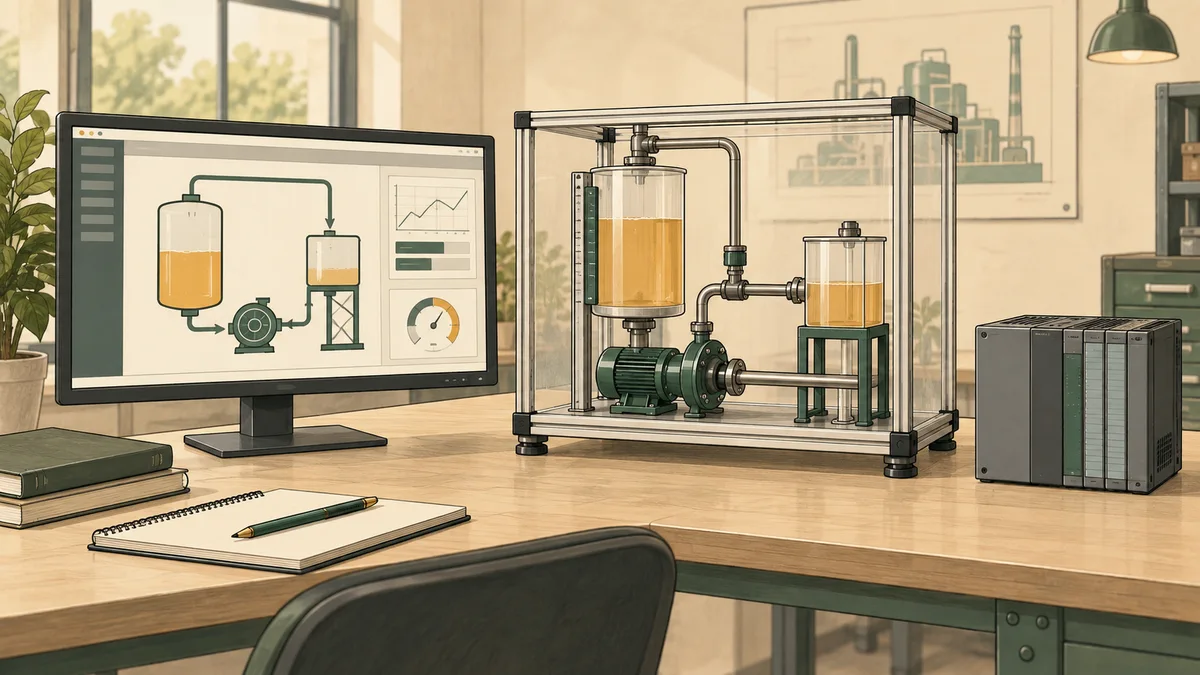
HMI tag binding connects a screen property or action to a defined data source. A useful binding identifies the equipment, value meaning, data type, units, access direction and update behaviour. A path that resolves successfully can still be wrong if it points to another motor or displays a request as confirmed operation.
This tutorial uses a fictional two-motor faceplate exercise to test those distinctions. It covers direct and parameterised paths, read-only indications, command results, invalid data and observation timing. The examples are learning contracts, not native project files for a particular HMI runtime.
For South African PLC and SCADA learners, the objective is a binding register and repeatable acceptance record. Another person should be able to identify the selected equipment, explain each displayed value and reproduce the tests that distinguish a correct screen from a plausible but misleading one.
Define what each screen object means
Start with the operator's question rather than the path picker. Does the lamp mean a run request exists, the controller issued a command, or a feedback input reports operation? Those meanings should have different labels even if they happen to share the same value during an ordinary demonstration.
A numeric field needs the same discipline. Pressure in bar, pressure in kilopascals and a raw input count are all numbers, but they are not interchangeable. A valid connection to the wrong representation can produce a convincing display with incorrect units.
Use a binding register containing the screen object, equipment identity, source, expected type, units, direction and invalid-data behaviour. Record any transformation between the source and the displayed property. If the field writes a value, document the intended destination separately from the readback.
The scaling and resolution guide helps distinguish display formatting from engineering conversion. Decide where conversion belongs so the PLC, gateway and HMI do not each apply a different interpretation of the same number.
Keep the application path separate from the driver address
An HMI's application-level tag path may identify a managed tag in that HMI platform. That tag can in turn obtain its value through a driver, an OPC connection, an expression or another source. The application path and the underlying device address are different layers.
The Ignition 8.3 Perspective tag-binding documentation describes direct, indirect and expression-based tag bindings. Its indirect mode builds a target path using supplied parameters. Those are product-specific mechanisms, not universal syntax for every PLC or HMI.
For this exercise, use dictionary keys Training/MotorA/Feedback and Training/MotorB/Feedback. They are invented identifiers in an independent learning model. Its lookup is deliberately exact and case-sensitive; that choice does not establish the case rules of a manufacturer protocol.
When translating the exercise into a native tool, browse or copy the supported path, retain the connection or provider identity and consult that tool's addressing rules. Do not combine an Ignition provider path, a Siemens address and a Rockwell structure into an assumed cross-platform tag name.

Build a small register for the two-motor exercise
Define MotorA and MotorB as separate virtual equipment records. Each record has a Boolean Feedback value, a Boolean Fault value and a numeric PressureBar value. Each field also has its own sample and quality information in the learning model.
| Screen object | Example source suffix | Meaning | Direction |
|---|---|---|---|
| Feedback text | Feedback | Supplied feedback on or off | Read only |
| Fault text | Fault | Supplied fault condition | Read only |
| Pressure display | PressureBar | Already scaled pressure in bar | Read only |
| Request action | Separate request record | Learner asks the model to act | Write request |
The equipment selector chooses the complete MotorA or MotorB identity. Derive the title and all displayed source paths from that same selection. Keep status fields read-only in the exercise so changing a display property does not overwrite the simulated evidence it presents.
The Perspective documentation identifies bidirectional binding as an option that sends writes back to the target. Its availability does not mean every indication should enable it. For a native implementation, examine permissions and the write behaviour of the particular component and binding.
Record the sample's meaning as well as its value. A false Fault field with bad quality is not evidence that no fault exists. The alarm detection lesson explains why condition, data validity and operator interpretation need distinct treatment.
Prove that each faceplate belongs to the selected equipment
Begin with deliberately different values. Give MotorA Feedback true and PressureBar 2.5, while MotorB has Feedback false and PressureBar 7.5. Selecting MotorA must show the first pair; selecting MotorB must show the second.
Then reverse the Boolean feedback values while leaving the pressures different. A copied binding that still points to MotorA can pass a test in which both motors are off. It fails when the source values deliberately disagree.
| Test | MotorA feedback | MotorB feedback | Expected A display | Expected B display |
|---|---|---|---|---|
| 1 | False | False | Confirmed off | Confirmed off |
| 2 | True | False | Confirmed on | Confirmed off |
| 3 | False | True | Confirmed off | Confirmed on |
| 4 | True | True | Confirmed on | Confirmed on |
All values in this table are current and good under the exercise policy. Test the title and numeric field as well as the feedback text. A correct title above an incorrectly bound value remains a failed equipment-isolation test.
On selection change, the learning screen clears any previous equipment's displayed sample and waits for the new selection's data. It must not temporarily label MotorA's retained value as MotorB's current state. Test this transition explicitly instead of checking only the final settled screen.

Give unavailable data a distinct display state
The Boolean display model follows a fixed validation order. If the path does not exist, return BindingUnavailable. If the record exists but has no sample, return AwaitingSample. If the supplied sample quality is bad, return DataUnavailable.
Next require an actual Boolean value; integer one is not silently accepted as true in this model. A different type returns TypeMismatch. Then validate the sample's confirmation timestamp before evaluating its age.
The confirmation timestamp and current time use the same monotonic clock in this exercise. A non-finite timestamp or one later than the current time returns TimeInvalid. If the age exceeds fifteen hundred milliseconds, return Stale. Otherwise display ConfirmedOn or ConfirmedOff according to the Boolean.
This timestamp means the model most recently confirmed the source sample, including an unchanged value. It is not the time the value last changed. A system using change notifications needs a deliberately designed freshness strategy; a constant process value should not be declared stale merely because it has not changed.
Fifteen hundred milliseconds is an invented classroom limit. It is not a recommended production setting or a claim that an HMI platform supplies this exact status model. Keep the display states explicit so the learner can explain each result.
Test the quality and freshness boundaries
Set the current model time to ten thousand milliseconds. Each row below is an independent fixture, not a physical event trace. “Age” is the difference between current time and the supplied confirmation time.
| Fixture | Supplied state | Expected display |
|---|---|---|
| A | Boolean true, good, age 100 ms | ConfirmedOn |
| B | Boolean false, good, age 100 ms | ConfirmedOff |
| C | Boolean false, bad quality, age zero | DataUnavailable |
| D | Integer 1, good, age zero | TypeMismatch |
| E | Path does not exist | BindingUnavailable |
| F | Boolean true, good, age 1500 ms | ConfirmedOn |
| G | Boolean true, good, age 1501 ms | Stale |
| H | Boolean false, good, confirmation time 10001 | TimeInvalid |
| I | Existing record without a sample | AwaitingSample |
The inclusive boundary is intentional: age exactly fifteen hundred remains accepted, while fifteen hundred and one is stale. A bad-quality false sample must not appear as confirmed off. The integer fixture exposes an accidental conversion that might otherwise make a type change look harmless.
If a retained last good value is shown for context, label it as historical and keep it separate from the current display state. Do not use the last good value as a substitute for an unavailable current sample without making that policy visible.
The PLC troubleshooting guide uses the same distinction between an observation and what it proves. A blank mismatch indicator during unavailable data is not confirmation of healthy equipment.

Distinguish a command request from acceptance and feedback
A button interaction begins a request. A successful write result can show that a value reached a particular software interface, but it does not by itself prove that application logic accepted the requested action or that the process responded.
In a fictional command exercise, maintain separate observations for the request identity, write result, application decision and feedback. Label a request awaiting a result as pending. If the application rejects it because a permission is false, show that decision and reason rather than changing the feedback indication optimistically.
| Observation stage | Meaning in the exercise |
|---|---|
| Request created | Learner requested an action for a named motor |
| Write result received | The request interface reported a result |
| Application accepted | The model accepted the requested action |
| Feedback confirmed | The separate feedback sample reports the expected state |
An accepted request with feedback still off remains different from confirmed operation. A rejected request can leave feedback unchanged for a legitimate reason. The ladder-logic basics tutorial provides background for tracing permissions and assignments rather than treating an HMI button as a direct guarantee of output state.
Momentary press-and-release actions also need an explicit contract. Ask what happens if release is not delivered, navigation occurs during a press, or communication becomes unavailable. A normal HMI button is not a substitute for a machine's protective stop function.
Keep delayed replies associated with the right request
A reusable faceplate can change equipment while an earlier request is still pending. The displayed result must remain associated with the equipment and request that produced it. Otherwise an old success indication can appear to confirm a different action.
Use an independent reply-matching exercise. The currently pending request belongs to MotorB and has identifier 42. Accept a reply for that display only when both its equipment identity and request identifier match the pending pair.
| Reply identity | Matches pending MotorB, 42? |
|---|---|
| MotorB, 42 | Yes |
| MotorA, 42 | No |
| MotorB, 41 | No |
| MotorA, 41 | No |
Matching is only a routing check. A matched reply can still report rejection, and acceptance still does not replace feedback. This small exercise does not implement a complete communications protocol, retry policy or restart-persistent command system.
Test selection changes while a reply is delayed, and retain the intended equipment identity with the request record. The result should remain understandable even when the operator closes one faceplate and opens another before the reply arrives.

Separate acquisition, publication and screen presentation
The WinCC Unified V20 acquisition-cycle documentation distinguishes cyclic-in-operation acquisition from on-demand updating. That is a specific configuration model; it should not be rewritten as a universal five-hundred-millisecond HMI default.
Where OPC UA is used, the OPC Foundation service specification distinguishes monitored-item sampling from subscription publication. It also describes filtering, queues and revised sampling intervals. Those mechanisms affect which observations reach a client and when; the existence of a subscription does not establish that every underlying transition is captured.
For a simple timing exercise, assume an ideal source sampled only at 0, 500, 1000 and 1500 milliseconds. A Boolean pulse that is true from 100 inclusive to 300 exclusive is false at every sample. The screen cannot display that pulse from those samples alone.
A pulse from 450 inclusive to 650 exclusive is true at the 500-millisecond sample. With no additional delay in this ideal model, it is observed fifty milliseconds after its start. These examples differ only in pulse timing relative to sampling.
Real communication, driver and rendering behaviour add further conditions. Do not infer a guaranteed end-to-end response time from one configured cycle or multiply tag count by update rate and call the result an exact network packet count.
Check numeric meaning before polishing the display
Use a fictional PressureBar sample of 2.5. A field labelled bar should show that value with the chosen formatting. A field labelled kPa requires conversion by one hundred, giving 250 kPa. Changing the label alone would be a binding defect.
For a separate formatting fixture, use 2.75 bar and a whole-number display with an explicitly selected nearest-integer rule. It shows 3 bar while the underlying value remains 2.75. A threshold calculation using the underlying value can therefore differ from an operator's interpretation of the rounded text.
Document which layer owns scaling, rounding and range validation. Check lower, interior and upper values, as well as a value near a display boundary. A numerically valid field can still have the wrong units, offset or interpretation.
If a source type changes, revisit every relevant consumer rather than assuming either automatic failure or safe automatic conversion. The required evidence is the resulting behaviour of the actual binding and transformation, not a general claim about how all HMI products cast numbers.
Review renames, copies and screen navigation as changes
A copied faceplate needs an equipment-isolation test. A renamed source needs a consumer review. A new connection or provider needs a check that the same-looking path resolves to the intended source. These are distinct changes with different failure possibilities.
Keep the binding register with the project revision and acceptance evidence. Review overview screens, detail screens, popups and any reused components that depend on the changed source. A successful test of one visible object does not cover every hidden or conditionally displayed consumer.
For the classroom model, an unknown equipment selection produces an unavailable selection state rather than falling back to MotorA. That makes an invalid parameter visible. A production implementation also needs its own access and validation rules for any writable destination.
For a platform-specific review, the Siemens WinCC Unified engineering guideline includes sections on faceplates, acquisition cycles and analysis of an existing project. Use the sections relevant to the actual runtime and configuration.
The SCADA training guide helps place screen configuration within the wider supervisory system. HMI tag binding is one part of that system, alongside alarms, history, communications and the meaning of operator actions.

Practise with the available HMI learning tools
The HMI simulator overview is a relevant starting point for browser practice. The product's HMI builder includes tag-bound pilot lamps, numeric displays and input widgets. Use supported widgets to compare the visible value with the simulated source.
The exact path syntax, quality fixtures and request-matching rules in this tutorial belong to the independent learning model. They are not a claim that the simulator reproduces Ignition providers, a native OPC UA server or every vendor's diagnostic overlay.
Use the PLC program testing material to organise expected and observed results. Keep the two-equipment test, nine display fixtures, reply matching and sampled-pulse examples as separate records so failures are easy to locate.
Compare South African HMI courses by their exercises
For courses in Johannesburg, Pretoria, Durban, Cape Town or another South African location, ask whether learners build and test individual screens. Request exercises involving incorrect equipment bindings, invalid data, unit conversion and a command that is rejected by application logic.
Confirm the actual software and version, access period, teaching format and instructor feedback. A course demonstrating one normal start-and-stop sequence provides different evidence from one assessing wrong paths and recovery after communication problems. These location references describe course-search contexts, not branches operated by this website.
The industrial automation courses guide supports comparing the broader learning scope. Choose the course around the platform and responsibilities relevant to your work, with the certificate's actual meaning confirmed by the provider.
How does tag binding fit into HMI programming?
HMI programming includes screen navigation, display behaviour, input validation and command handling as well as tag binding. Begin with the binding register in this exercise, then specify how the screen responds when a value is unavailable or a command is rejected. Assess those behaviours separately: a screen can resolve every tag path correctly and still give an operator misleading feedback.
Why does my HMI show a plausible value for the wrong motor?
Check the resolved equipment identity and every source path, not just the title. Deliberately assign different test values to the two simulated devices. Matching source values can hide a copied binding error.
Should every binding be bidirectional?
Give status indications a read-only purpose. Writable controls require a defined destination, permissions and result handling. Bidirectional support is a capability to configure deliberately, not evidence that a particular status field should accept writes.
Does a constant value mean the connection is stale?
No. Distinguish the last value change from evidence that the source remains current. This tutorial's freshness timestamp records confirmation of a sample, including an unchanged one; other systems need their own documented strategy.
What belongs in an HMI binding portfolio?
Keep the binding register, equipment-isolation matrix, quality and freshness fixtures, command-result definitions and timing examples. Label simulated evidence accurately and state the native-platform behaviour that still needs verification.