exercises · South Africa
PLC Silo Simulation Exercise: Fill, Pause and Resume
Build a PLC silo simulation exercise with bag detection, filling and discharge, plus pause, resume and fault tests for South African automation learners.
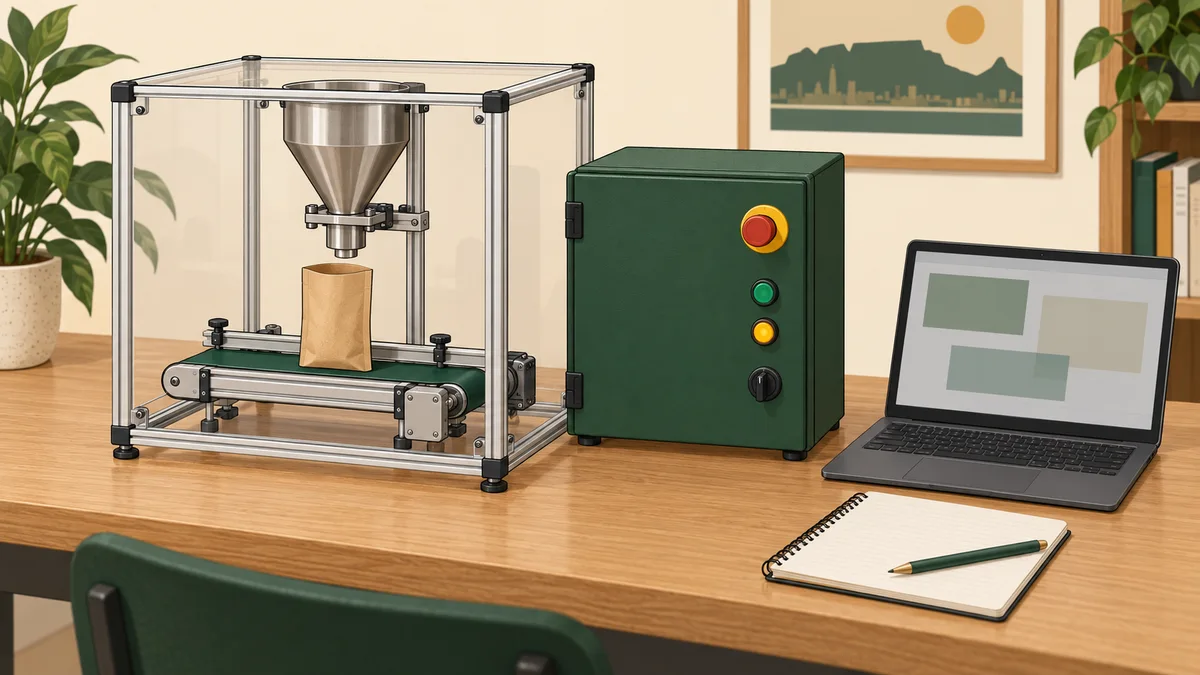
This PLC silo simulation exercise models a conveyor presenting a bag, a fill command while that bag is present, and a discharge phase that waits for the bag to leave. The central learning task is pause and resume: stopping outputs is not enough if the programme continues changing its process step while supposedly paused.
You will separate the retained process step from the operating mode, define how a fresh Start is accepted, and test a missing bag, a full bag at arrival and changing inputs during a pause. The example uses supplied Boolean values and virtual outputs. It is not a design for operating a physical silo, bagging line or bulk-material process.
A FillCommand true value does not prove material is flowing. A ConveyorCommand false value does not prove a moving belt has stopped. No pneumatic circuit, dust-control arrangement, weighing system, guarding design or machine safety function is supplied. The learning evidence is the programme trace and its stated assumptions.
Define the bag signals and process steps
BagPresent true means the exercise supplies a bag-at-fill-position indication. BagFull true means it supplies a full indication for the current bag. These are logical meanings, not claims about a particular proximity switch, photoeye, electrical polarity or material level.
Use three process steps: Index, Fill and Discharge. Index waits for a bag at the station. Fill requests filling until the supplied full indication becomes true. Discharge requests conveying until BagPresent becomes false, then returns to Index.
A bag already present when running begins must be handled deliberately. This version uses the current BagPresent level in Index rather than relying exclusively on an arrival edge that may have happened before the sequence started.
| Process step while running | Decision |
|---|---|
| Index, no bag present | Remain Index and request conveying |
| Index, bag present and not full | Enter Fill |
| Index, bag present and full | Enter Discharge without requesting filling |
| Fill, bag missing | Report a fault |
| Fill, bag present and full | Enter Discharge |
| Discharge, bag still present | Remain Discharge |
| Discharge, bag absent | Return to Index |
Only one process transition is selected per evaluation. Entering Discharge does not also process its departure rule in that same evaluation. A held BagPresent in Discharge cannot start another fill, because only Index accepts a bag for filling.
BagFull without BagPresent is ignored in Index and Discharge in this limited model. It does not create a bag record or prove a sensor fault. During Fill, the missing-bag condition has priority over BagFull, so the fill command cannot continue merely because a full indication is absent.
Separate operating mode from process step
Use Ready, Running, Paused and Fault as operating modes. Mode answers whether the sequence may operate; Step records where the process was. A pause can therefore keep Step Fill while making the output commands false.
Initialise Mode to Ready, Step to Index, StartArmed false and FaultReason empty. There is no automatic process start on initialisation. A reset also returns to this Ready/Index combination and clears the paused-input snapshot.
The output rules use the final mode and step after decisions have been made:
Operate := Enabled AND Permission AND NOT StopRequest
           AND Mode = Running;

ConveyorCommand := Operate AND
    ((Step = Index AND NOT BagPresent) OR Step = Discharge);
FillCommand := Operate AND Step = Fill
               AND BagPresent AND NOT BagFull;
These commands are logically exclusive under the model. The extra presence and full conditions on FillCommand make their meaning explicit even while examining boundary cases. Keep one writer for each output in your implementation.
Use a separate FillingStepIndicator if you want to show that Step is Fill while paused. Label it as a retained step indication, not FullLamp. A programme waiting in Fill has not necessarily observed a full bag, and an indicator of that step must not be confused with the fill command itself.
The ladder logic basics guide introduces conditions and retained values. The car-wash sequence exercise provides a contrasting model that aborts an interrupted cycle rather than resuming it.

Accept a fresh Start rather than a held level
StartButton and ResetButton are supplied Boolean requests. Initialise their previous-value memories from the currently supplied values. Calculate raw rising edges every evaluation and update the previous values even during Stop, Paused and Fault.
While Mode is Ready or Paused, with Enabled and Permission true and StopRequest false, observe StartButton false to set StartArmed true. A later rising edge can start or resume only if StartArmed was already true. Accepting it clears the armed flag.
StopRequest clears StartArmed. A Start held while Stop is released cannot therefore restart this model. The programme needs to observe the release under eligible conditions, followed by a new edge. A Start press during Running is ignored rather than stored for later.
The CODESYS R_TRIG documentation describes detection of a rising Boolean edge. The release-arming and mode-acceptance rules here are additional application behaviour. An instruction name alone does not establish the complete restart policy.
When a fresh Start is accepted, select Running and apply one process decision to the retained Step using the current bag inputs. This ensures a full indication is considered before a resumed Fill could request filling. There is still at most one process-step transition during that evaluation.
Freeze process transitions on Stop
When StopRequest becomes true during Running, select Paused, clear StartArmed and save the current pair of bag inputs as the pause snapshot. Retain Step. Do not run Index, Fill or Discharge transitions after this pause decision.
Both commands become false through the output rules. Repeated Stop evaluations keep the same process step and the original snapshot. They must not continuously replace the snapshot with newer values, because doing so would hide changes that the pause policy is meant to detect.
While Paused, compare BagPresent and BagFull with that saved pair on every evaluation. Any observed difference selects Fault with PausedInputsChanged and prevents resume. This rule applies even if StopRequest is still true. It is a deliberately strict learning policy.
The snapshot does not prove that the same physical bag remains in place. A bag could be removed and replaced between observations while producing the same sampled values. This exercise assumes object continuity where it resumes and makes the limit of the observation explicit.
At the first Stop evaluation, current signals become the snapshot. If BagFull becomes true on that same evaluation, Step remains Fill during the pause. On a later accepted resume with those values unchanged, the Fill decision sees BagFull and enters Discharge without issuing a fill command.
If a bag is already missing when Stop interrupts Fill, the snapshot records absence. A later resume attempt applies the Fill missing-bag rule and selects Fault before commands are decoded. Stop is not a way to erase a missing-bag condition.

Define fault, reset and permission priorities
Loss of Enabled or Permission selects Fault, clears StartArmed and makes both commands false. This is an interruption that requires reset, distinct from the ordinary Stop pause. Record PermissionUnavailable without assigning a physical cause from the supplied Boolean alone.
An unexpected mode or process step also selects Fault. A missing bag while processing Fill records BagLostDuringFill. Preserve the first fault reason until reset so later unavailable values do not overwrite the original diagnostic. A changed paused-input pair records PausedInputsChanged.
A fresh Reset edge is accepted only with Enabled and Permission true and StopRequest false. It returns to Ready/Index, clears the reason and snapshot, and leaves StartArmed false. Reset takes priority over the ordinary paused-input comparison, allowing the learner to establish a new test setup deliberately.
A held Reset while permission is restored does not create a fresh edge, because its history continues to update. Reset cannot start the process on the same evaluation. Observe Start released after reset before accepting a subsequent Start edge.
Apply the priorities in this order: unavailable global permission; eligible fresh reset; existing or invalid-state fault handling; changed paused-input detection; Stop handling; start/resume acceptance; one Running process decision. Decode commands afterwards.
The fault-finding workflow guide helps distinguish an observed failure from a proposed physical cause. The conveyor restart exercise offers another example of explicit release and restart conditions.
Trace an ordinary pause and resume
The following observations use Enabled and Permission true throughout. ResetButton remains false. Start released at the first evaluation arms the initial request. Row numbers indicate evaluation order, not elapsed physical time.
| Row | Start | Stop | Present | Full | Mode / Step after evaluation |
|---|---|---|---|---|---|
| 1 | 0 | 0 | 0 | 0 | Ready / Index, armed |
| 2 | 1 | 0 | 0 | 0 | Running / Index |
| 3 | 0 | 0 | 1 | 0 | Running / Fill |
| 4 | 1 | 1 | 1 | 0 | Paused / Fill |
| 5 | 1 | 0 | 1 | 0 | Paused / Fill, unarmed |
| 6 | 0 | 0 | 1 | 0 | Paused / Fill, armed |
| 7 | 1 | 0 | 1 | 0 | Running / Fill |
| 8 | 0 | 0 | 1 | 1 | Running / Discharge |
| 9 | 0 | 0 | 1 | 1 | Running / Discharge |
| 10 | 0 | 0 | 0 | 0 | Running / Index |
| 11 | 0 | 0 | 1 | 1 | Running / Discharge |
| 12 | 0 | 0 | 0 | 0 | Running / Index |
Rows 4–6 retain Fill and issue neither command. The held Start at row 5 does not resume. Row 7 accepts the new edge after the observed release. Row 8 changes to Discharge before the command equations are evaluated, so FillCommand is false.
Row 11 represents a supplied full bag arriving at Index. It goes directly to Discharge. The model does not briefly select Fill and then rely on a later evaluation to notice that it was already full.
Keep Mode, Step, StartArmed, both raw button histories and the paused snapshot in your trace. A screenshot showing only a closed virtual valve cannot demonstrate that the process step was actually frozen.

Test changes during the pause separately
Repeat the trace through row 4, then set BagFull true while still Paused. The result is Fault/Fill with reason PausedInputsChanged, not an automatic transition to Discharge. Reset is required before starting a new test setup.
Repeat it again and remove the supplied bag while paused. The changed snapshot also faults. Restore BagPresent afterwards and confirm that Fault remains latched. A return to the original values does not erase the recorded observation.
Now make BagFull true on the initial Stop evaluation rather than on a later paused evaluation. The snapshot contains true from the start. If it remains unchanged, a fresh resume is accepted and the retained Fill step changes to Discharge. These two tests have different histories and therefore intentionally different results.
Test a missing bag during Running/Fill without Stop. The result is BagLostDuringFill and both commands false. Test a missing bag on the first Stop evaluation, then attempt resume without restoring it: the Fill validation faults before any command becomes true.
These cases explain why “resume the same bag” needs more than preserving a step number. The model verifies a limited input history and validates the retained step. It does not identify physical objects, detect all movement or replace a real process-recovery procedure.
Why the arrival level is intentional here
An edge-only arrival rule can miss a bag that is already present at startup or whose arrival edge was consumed while the sequence was not accepting work. Freezing edge history can create the opposite problem: a stale level appears to be a new event after resuming.
This model avoids using an arrival edge as the only admission condition. Index examines the current presence value, while Discharge prevents a still-present bag from being accepted repeatedly. The observed absence that returns Discharge to Index separates one accepted bag from the next.
That separation has limits. Two bags with no observed clear interval cannot be reliably counted as separate objects by this model. A brief false observation can also look like departure. Signal quality, object spacing and sampling assumptions remain part of the exercise contract.
The bottle-counting exercise examines event counting, while the height-sorting example uses an explicit record lifecycle. Compare those designs by the object association they establish, not by treating edges or levels as universally correct.

Add a fill-time limit as a separate extension
The core sequence above has no timed exit from Fill if BagPresent remains true and BagFull never becomes true. It can remain there indefinitely. A timed diagnostic is a useful extension, but do not claim that the base model already contains it.
Choose a fictional maximum of 30000 ms of active fill-command time. Define whether that means accumulated requested-on time or wall-clock time since entering Fill. With pause and resume, those policies produce different results and need different implementation.
For an accumulated-time learning version, seven seconds of fill command followed by a twenty-second pause and another five seconds of fill command totals twelve seconds of requested-on time. Eighteen seconds remain before the fictional limit. Wall-clock time over the same intervals is thirty-two seconds.
Specify how time between observations is attributed, including the interval ending at Stop. A supplied test model can assume the previous command held until the next timestamp, but that is an explicit sampling assumption. It is not a measurement of actual material flow.
Schneider Electric’s TON documentation describes an on-delay timer. A pause-retaining accumulator is not automatically equivalent to an ordinary TON that resets when its input becomes false. Validate the chosen native instruction or implement the declared retained-time policy explicitly.
Call the resulting event FillTimeLimitReached. It says the configured observation interval expired without the required completion condition. It does not uniquely diagnose an empty silo, blocked discharge or failed sensor, and the fictional limit is not physical overflow protection.
South African course and portfolio questions
If you are comparing PLC training in the Free State, Gauteng, KwaZulu-Natal or the Western Cape, ask the provider to demonstrate Stop during Fill and then change the full indication while paused. The response should match a written policy, not depend on which rung happens to execute next.
Ask whether the course covers basic logic simulation, instrumentation, weighing or actual bulk-handling equipment. Those are different scopes. A silo animation does not establish that the course includes load-cell calibration, pneumatic commissioning or material-handling competence.
Use the online PLC training guide to compare delivery arrangements and the instrumentation-technician guide for related signal-learning topics. Keep your portfolio evidence specific: input definitions, mode/step table, normal trace and corrected failure cases.
Describe the finished work as a virtual bag-filling sequence. Do not present generated classroom artwork as a Free State customer installation or claim measured throughput, reduced spillage or a registered qualification from completing this exercise.
Questions learners ask about silo simulation
Does Stop freeze the whole programme?
No. The model still observes buttons, permissions and paused-input changes. It freezes ordinary process-step progression and clears the command outputs. Fault detection can still change the operating mode, which is why mode and step are separate.
Can a full bag at startup be handled without an arrival edge?
Yes. After the required Start release and fresh edge, Index examines the supplied presence and full levels. A present full bag enters Discharge without issuing a fill command. This is an explicit startup rule for the exercise.
Why is a filling-step lamp not a full-bag lamp?
Step Fill means the programme is waiting for filling to complete or is paused at that step. BagFull is a separate supplied observation. Naming the indicator accurately prevents a retained state display from being mistaken for confirmed completion.
Does a paused snapshot identify the bag?
No. It records two observed Boolean values. Unchanged values are a limited resume check, not proof of object identity or a guarantee that nothing changed between observations.

Continue with signal and execution-order practice
Explore sensor practice in PLC Simulation Software for a related learning entry point. Inspect its scan-cycle highlighting feature when comparing input observations with state transitions and command assignments.
These links do not claim that this exact silo model is supplied or graded on any particular plan. Return to the PLC programming examples collection when you can explain what is retained on Stop, what can still fault while paused, and which observations permit the next fill command.