compare · South Africa
PLC Training Kit vs Simulator: A South African Buying Guide
Compare a PLC training kit with simulator practice: check software, I/O, supervision, full costs and useful learning tasks before buying in South Africa.

A PLC training kit and a PLC simulator can both support useful learning, but they give you different kinds of access. A kit provides physical equipment within its design and operating limits. A simulator provides a software environment whose behaviour depends on what it models. Choose by the task you need to practise, the support available and the complete cost of making that task possible.
For a South African beginner, the first purchase does not have to be a controller. It also does not have to be a subscription. A supervised college lab, a borrowed trainer or an instructor-led workshop may address the immediate need. Start by identifying the gap: programming concepts, vendor software, physical connections, measurement, troubleshooting or assessment.
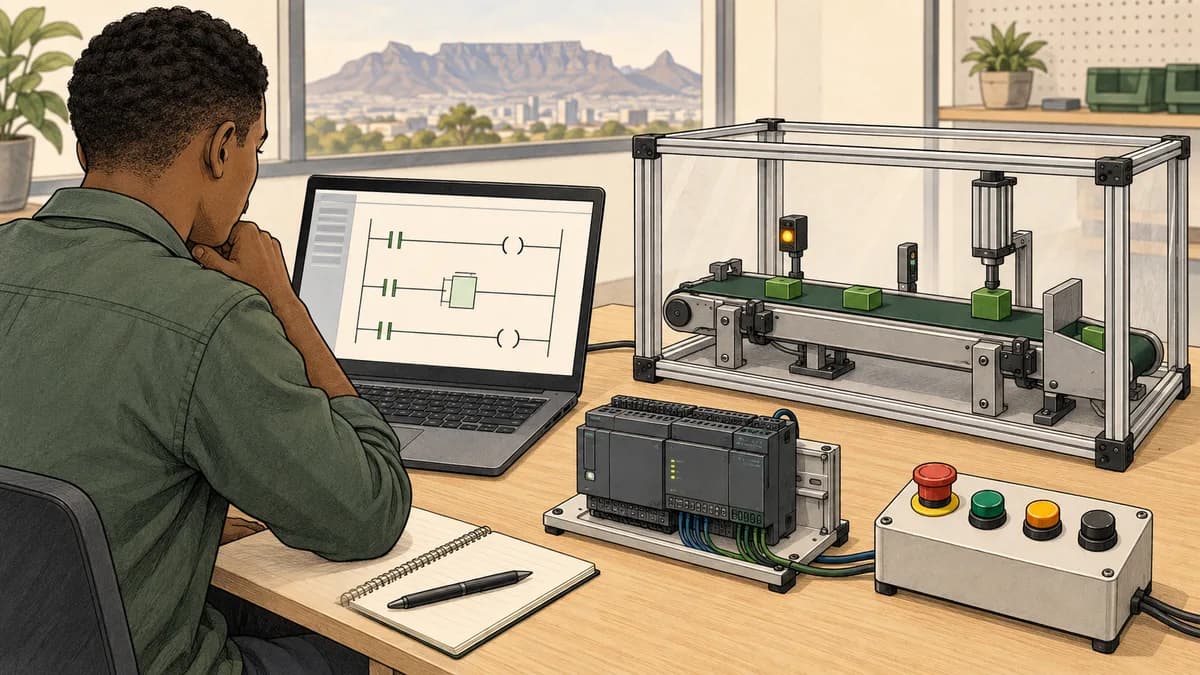
This site has a commercial connection to PLC Simulator, which is linked where its educational tools are relevant. That connection should be part of your evaluation. The illustrations here are conceptual learning scenes, not photographs of kits for sale, validated wiring diagrams or evidence of a particular supplier's facilities.
What does a PLC training kit actually include?
The term can describe several different products. A starter bundle may contain a controller and selected accessories. An assembled trainer may add protected connections, switches, indicator lamps and a documented enclosure. A teaching system may combine equipment with exercises, instructor resources and assessment. A loose collection of second-hand components is another proposition entirely.
Ask for the exact bill of materials and product codes. A photograph is not a reliable inventory: a laptop, sensor, HMI or power supply may be shown for illustration without being included. Conversely, do not automatically budget for an extra power supply or software licence when the quoted bundle already contains the required item.
Siemens' LOGO! starter-kit overview describes hardware, LOGO! Soft Comfort software and accessories, with additional components depending on the variant. This illustrates why the kit identity matters. It does not establish what a South African reseller has in stock, what a used bundle contains or whether a LOGO! kit meets a course requiring a different controller family.
Four items to request before paying
Obtain an itemised quotation, the relevant equipment manuals, a software and licence statement, and a sample learning activity. These answer different questions: what arrives, how it is intended to operate, what you can legally install and use, and how the purchase connects to learning.
If the seller cannot identify the controller or software edition, treat compatibility as unresolved. If it provides equipment but no teaching material, that may still suit an experienced buyer with a plan. It is less suitable as a complete learning solution for someone expecting guided lessons. The issue is matching expectations, not declaring every hardware bundle inadequate.
What kind of simulator are you comparing?
Simulator can mean an educational logic editor, a vendor-associated controller simulator, a process model connected to an engineering tool, or an interactive training exercise. Some environments combine several functions. Ask what executes the program, what represents the plant and how signals pass between them.
An educational simulator can help you work through instructions and sequences without buying physical I/O. A vendor-associated environment may be more appropriate when your objective is using a particular engineering workflow. Neither description guarantees support for every instruction, communication service, hardware module or timing behaviour of a real controller.
Use the PLC simulator selection guide to separate these categories before comparing prices. Check operating system requirements, internet dependence, licence duration, project saving and supported languages. Browser-based access should not be interpreted as offline operation, compatibility with every phone or unlimited access to every exercise.
| Learning need | Evidence to seek in a kit | Evidence to seek in software |
|---|---|---|
| Explain a sequence | Suitable inputs and outputs plus a written task | A model with observable states and documented behaviour |
| Learn a vendor workflow | Exact controller, compatible engineering software and licence | The required vendor environment and supported simulation scope |
| Practise physical connections | Appropriate trainer design, instructions and supervision | Conceptual wiring activities; these do not provide hand skills |
| Improve diagnosis | Planned training faults and a method for checking reasoning | Repeatable fault scenarios and feedback within the model's limits |
| Build assessed evidence | Individual assignments and a reviewer | Saved work, explanations and a suitable review process |

Physical practice requires more than owning a controller
Handling tools, identifying terminals and making supervised connections are physical activities. Watching a video or drawing a wire on screen can help explain the intended connection, but it does not show how you actually perform the task. The same applies to using a measuring instrument and interpreting a reading from a real setup.
Ownership alone does not provide instruction, an appropriate workspace or permission to work on equipment. Before buying, identify who will review the setup and teach the relevant procedures. Prefer a documented training arrangement appropriate to your experience. Do not improvise mains wiring or use a production machine as a beginner's learning bench.
Festo's PLC EduTrainer operating instructions, edition February 2020, specify supervision and operating conditions for that training system. They are a useful reminder that educational hardware still has operating requirements. Follow the current instructions for the exact equipment you obtain; this example is not a universal wiring specification for every kit or a statement of South African legal requirements.
Damage is not a learning objective
Do not reverse supplies, short terminals or destroy components to make a fault memorable. Fault-finding practice should use a software model or a trainer's documented, supervised fault facilities. A planned teaching fault is different from introducing an uncontrolled electrical defect.
A useful practical lesson asks the learner to explain the expected state, choose an appropriate observation and interpret the evidence. The goal is a repeatable method. Burning out an input channel creates a repair problem and possible hazards; it does not prove that the learner has acquired a sound diagnostic process.
Hardware can have a syllabus, and software can lack one
Do not confuse the delivery medium with the teaching design. A physical trainer can be accompanied by exercises, an instructor and assessments. A simulator can be an open sandbox with no guidance. Either can leave a beginner wondering what to do next if learning support is missing.
Festo's mechatronics curriculum describes hardware-related eLab courses, instructor-selected exercises, guides and evaluations. It includes PLC learning activities associated with training systems. This is a concrete counterexample to the claim that hardware training cannot provide structured feedback. The regional page does not establish local pricing, availability or accreditation.
Ask the same questions of both options: what task will I attempt, how will I know whether it meets the requirement, and who can help when I cannot explain the result? A lamp illuminating is one observation, not a complete assessment. An automated pass is also bounded by the tests that were run.
For educational practice, inspect PLC Simulator's program-testing approach. Check whether the offered activities match the kind of reasoning you want to practise. Educational test results are not certification of a physical machine's safety or proof that the same program will work unchanged on another platform.
Check the engineering software before choosing hardware
Write down the controller's complete identifier, generation and firmware where available. Ask which engineering software release and edition support it, and whether your computer meets that release's requirements. Include any HMI configuration software or communication interface needed for the planned exercises.
A familiar brand name does not establish compatibility. A course may require a specific software environment, while a superficially similar starter kit uses a different one. Ask the course provider to confirm suitability using the actual product codes rather than buying first and hoping a conversion exists.
Clarify whether the software is included as a full licence, a trial, an upgrade or an entitlement requiring an existing licence. Check activation, installation permissions and any restrictions relevant to personal or institutional use. For second-hand equipment, obtain clear evidence of any licence transfer rather than assuming a disc or copied installer conveys usage rights.
Keep three kinds of transfer separate
Conceptual transfer means recognising ideas such as state, timing and conditions in another environment. Workflow transfer means knowing where to configure, download, observe and diagnose in a particular tool. File transfer means that a project can actually be imported or opened elsewhere. Success in one category does not establish the other two.
Record the platform used in your portfolio. Explain which parts are general reasoning and which depend on the tool. If your target employer names a controller family, investigate training for that family instead of presenting brand-neutral practice as equivalent vendor experience. This produces a more credible account of your skills.

Worked example: count the I/O your exercise needs
The following is a fictional paper-planning exercise, not a circuit design or recommendation for a commercial controller. Suppose a teaching activity represents a virtual sorting station. Its input list contains a Start button, Stop button, mode selector and two object sensors. Its output list contains a Run indicator, Reject indicator and Complete indicator. It also includes one analogue temperature value.
That gives five digital inputs, three digital outputs and one analogue input. The indicators represent information in a learning model; they are not specified motor, valve or safety outputs. Treat the Stop item as an ordinary educational input, not a description of an emergency-stop safety function.
| Resource | Required by this exercise | Fictional kit A | Fictional kit B |
|---|---|---|---|
| Digital inputs | 5 | 8 | 8 |
| Digital outputs | 3 | 6 | 6 |
| Analogue inputs | 1 | 0 | 2 |
Kit A has three spare digital inputs and three spare digital outputs, but it cannot directly satisfy the analogue-input requirement as listed. Spare digital channels do not automatically become an analogue measurement channel. Kit B has the same digital spare counts and one spare analogue input, so its channel counts cover the list.
That is only a capacity check. It does not confirm that Kit B's analogue type, signal range, resolution, connections or software support are suitable. It also does not show that the listed physical sensor exists in the bundle. Mark those checks as pending until the exact documentation and quotation resolve them.
If the exercise is changed to use an internal simulated temperature value, record that change explicitly. It may be a useful logic exercise, but it no longer demonstrates acquisition of a physical analogue signal. Similarly, selecting a digital threshold switch instead would change the learning objective rather than silently fixing the missing analogue channel.
Turn the list into an acceptance checklist
For each required signal, record its name, purpose, whether it is physical or simulated, and the evidence needed to show it works. Keep controller channel numbers and electrical specifications separate from the logical name until the documented design establishes them.
When the equipment arrives, have the appropriate person inspect it against the order and manufacturer procedures before use. Record missing items, damage, serial numbers, documentation and licence information. Initial acceptance should demonstrate that the purchased system meets the agreed specification; it should not involve improvised destructive testing of every channel.

Budget for a usable learning arrangement in South Africa
Ask local and overseas suppliers for a complete delivered quotation with a validity date. Confirm the currency, tax treatment, shipping, any import-related charges, warranty process and responsibility for returns. Do not infer a landed price from a converted overseas sticker price alone.
Include required accessories, software, a suitable computer if needed, learning materials and any paid supervision. Separate items already owned from items that must be purchased. For institutional equipment, include storage, booking arrangements and maintenance responsibility. Avoid inventing a guaranteed resale value to make the purchase appear cheaper.
A fictional cash-budget comparison
Suppose a learner has R6,000 available and already owns a suitable computer. These invented figures illustrate a worksheet only. They are not current South African prices, product subscriptions or provider quotes. Assume the listed amounts include applicable tax and all compulsory charges for this example.
| Item | Fictional software route | Fictional hardware route |
|---|---|---|
| Learning access or hardware bundle | R600 | R4,000 |
| Required accessories | R0 | R800 |
| Additional software licence | R0 | R700 |
| Additional data or delivery | R200 | R300 |
| Arranged individual instruction | R500 | R500 |
| Total | R1,300 | R6,300 |
The software route leaves R4,700 in this fictional budget. The hardware route exceeds it by R300. If the seller confirms that the required software licence is already included, remove that duplicated R700 item: the hardware total becomes R5,600, leaving R400. Do not remove it merely because you hope it is included.
Now compare scope. The first route might meet a defined logic-practice objective but cannot supply personal physical connection practice. The second might address that physical objective only if the trainer and supervision are suitable. These totals establish affordability under the stated assumptions, not equal learning outcomes or a universal value ranking.
If a subscription is quoted in another currency, retain the original amount and use a clearly dated exchange-rate assumption for your own budget. Account for actual payment charges where relevant. Do not present a convenient rand approximation as the supplier's fixed South African price.
When a kit can be the right first purchase
A kit can make sense early when a supervised course requires it, a workplace mentor has a documented learning plan for it, or you already understand the relevant programming and need physical practice. Confirm that the exact kit matches the course and that the support will be available when the equipment arrives.
Borrowing or sharing may be preferable to ownership when you need occasional supervised access. Ask your college, training provider or employer about its actual arrangements without assuming equipment can be taken home. Booking a lab session can solve an access problem that buying hardware alone would leave unresolved.
An experienced technician may also want a particular controller to study its configuration and diagnostics. In that case, a general educational simulator may not meet the main objective. Choose the vendor environment and documented equipment access needed for that work, while keeping experiments separate from production systems.
When software practice is the useful first step
Software can be a practical starting point when you want to understand logic, test small sequences or establish a study routine before purchasing equipment. Choose a small exercise, predict its behaviour and record what happens when one condition changes. Use feedback to identify the next question, not simply to accumulate passes.
The start-stop seal-in exercise offers a bounded programming topic to investigate. Read its assumptions and distinguish educational behaviour from a real protective circuit. If the difficulty is understanding why a state persists, buying more physical I/O may not address that immediate problem.
For conceptual connection reasoning, explore the PLC Simulator wiring tutor and check its current scope. On-screen exercises can prepare questions for an instructor, but they do not demonstrate tool handling, verified physical wiring or authorisation to work on equipment.

Combine the two with a clear handover
A useful combined plan can begin with a written requirement and a software model, proceed to supervised work on an appropriate trainer, then compare observations. Record the differences rather than hiding them: signal conventions, configuration, timing assumptions and available diagnostics may differ between environments.
Keep a learning log containing the requirement, model assumptions, test cases, observations and unresolved questions. For the physical stage, include only evidence that you are permitted to record and share. Do not publish confidential plant files or imply that a simulated project ran on industrial equipment when it did not.
The learn PLC programming at home guide covers planning a suitable practice environment. If your missing ingredient is instruction or supervised equipment access, compare the options in the online-versus-classroom training guide. A combined route can include a workshop without requiring you to own a full home lab.
Make the next purchase answer a specific question
After several actual practice sessions, write down what prevents progress. “I cannot explain the sequence” suggests a teaching or feedback need. “I need supervised analogue measurement practice” suggests a physical training requirement. “The course requires a named software version” suggests a compatibility requirement.
Use that observation to request the next resource. Avoid buying a larger controller merely because it looks more professional, or continuing a subscription simply because it is inexpensive. Equipment, software and instruction should each have a defined role in the learning plan.
Questions South African learners ask about PLC training kits
What is the best PLC training kit for a beginner in South Africa?
The best fit is the documented kit that supports your intended tasks, compatible software and available supervision within your full budget. Ask for exact product codes and a sample lesson. There is no single model that suits every college course, employer or home learner.
Should I buy a Siemens kit if I want to learn TIA Portal?
Confirm the controller family, engineering software edition and release required by your course. Do not assume every Siemens-branded starter bundle uses the same programming environment. Get written compatibility confirmation for the actual kit and your computer before paying.
Can I learn PLC programming without buying hardware?
You can practise programming concepts and supported workflows in suitable software. Physical connection and measurement skills need an appropriate practical setting. That setting could be a supervised shared lab or workshop rather than equipment you own.
Is a second-hand PLC trainer good value?
It may be, if its identity, condition, documentation, licence position and support meet your needs. Request evidence and appropriate inspection. A low price does not compensate for missing software rights, incompatible equipment or an undocumented assembly requiring repairs.
Will a simulator work during a power or internet interruption?
Check the particular software's requirements and test your intended setup. A charged laptop does not guarantee access to a cloud service, and browser-based software is not automatically offline-capable. Plan around the actual connection, power and saving behaviour available to you.
Can a kit or simulator teach fault-finding?
Either can support planned diagnostic exercises when it includes suitable scenarios and feedback. Physical faults should use documented training facilities under appropriate supervision. Software faults are limited by the model. In both cases, assess the learner's explanation as well as the final result.
What should I ask an AI assistant before buying a PLC starter kit?
Give it the proposed product codes, course requirements, computer details, location and budget. Ask for a compatibility and missing-items table using manufacturer sources, with unknowns clearly marked. Verify the result with the supplier; generated advice cannot establish stock, warranty terms or electrical suitability.
Do I need a full PLC home lab to apply for an entry-level role?
Requirements differ by employer and role. Present truthful evidence of what you can explain and demonstrate, and identify where you still need supervised experience. Owning a kit is not a qualification, while a software portfolio should be labelled accurately rather than presented as site commissioning work.