exercises · South Africa
PLC Counter Exercise: Bottle Counting and Reset Tests
Explore this PLC counter exercise: bottle-event traces, reset priority, crate gating, target limits and filter tests for South African automation learners.
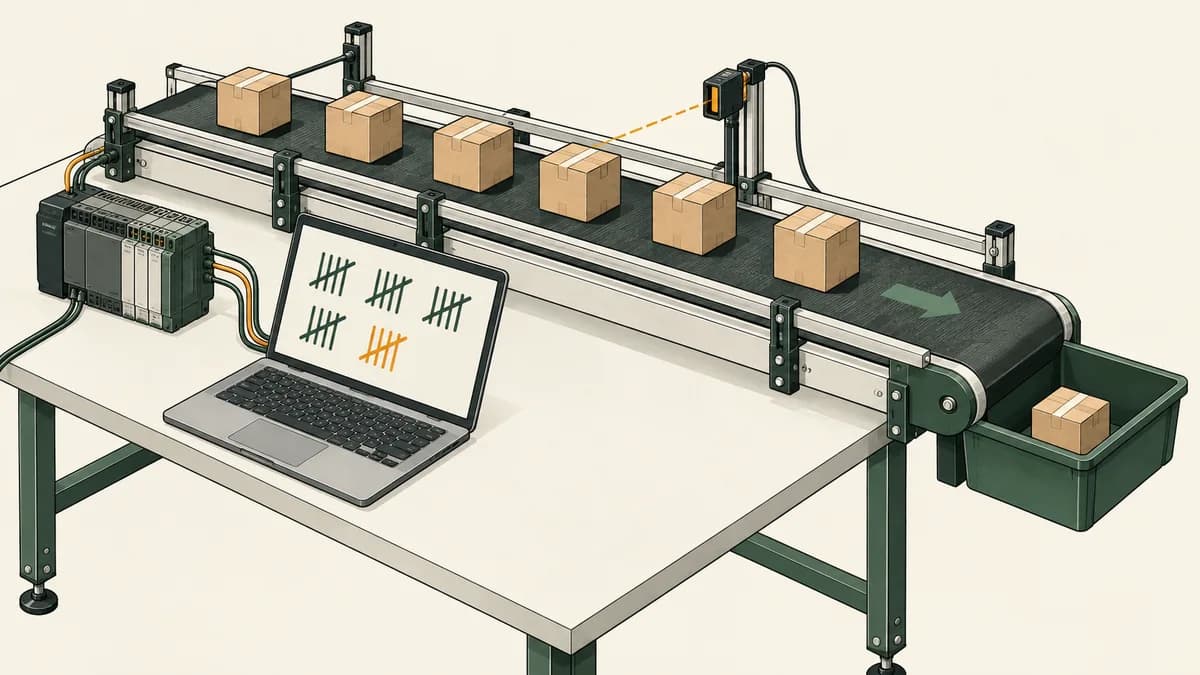
This PLC counter exercise uses a fictional bottle-counting screen to teach rising edges, reset priority, count limits and input qualification. The target is 24 accepted events per virtual crate. You will predict a counter trace, inspect what happens when crate availability changes, and test why a short on-delay filter does not automatically guarantee one count per physical bottle.
The word “accepted” matters. A program counts the input events it observes under its rules. Without additional evidence, that number is not proof of bottles delivered into a crate. This is a disconnected software exercise with no conveyor, reject device, photoelectric sensor specification or production-quality guarantee attached.
If you have only used ordinary contacts and coils, start with ladder logic basics. For remembered-state behaviour, review the start-stop exercise. Here the new question is whether the input has changed since the preceding evaluation, rather than simply whether it is currently true.
Define what the counter is allowed to accept
The training screen supplies three Boolean inputs: BottleEye, CratePresent and ResetRequest. BottleEye true represents the input level associated with a detection; it is not a claim about a particular sensor's electrical convention. CratePresent indicates that the fictional exercise has a crate available. ResetRequest explicitly requests a cleared count.
Use these rules for the main paper model:
- Initialise Count to zero and Target to 24.
- Sample the initial BottleEye value into PreviousEye before normal evaluations.
- Calculate a rising edge from BottleEye and PreviousEye on every evaluation.
- If ResetRequest is true or CratePresent false, set Count to zero.
- Otherwise accept a rising edge only while Count is below Target.
- Increase Count by one for an accepted edge; keep it at Target after completion.
- Update PreviousEye on every evaluation, including reset and crate-absent cases.
- Calculate the indicators from the new Count.
Initial sampling means an input already true when you open the exercise is not automatically treated as a newly observed rising edge. That is a declared policy for this model. Check the startup and edge-memory behaviour of your actual instruction if you implement a native version.
Reset has priority over counting. An edge observed on a reset evaluation is discarded, not queued. The crate-removal rule also discards the current batch count. That is a deliberate learning choice; a real recordkeeping requirement might instead preserve an incomplete-batch record or require an explicit cancellation procedure.
Give every displayed value a precise meaning
| Variable | Role | Meaning |
|---|---|---|
BottleEye | Boolean input | Current virtual detection level |
PreviousEye | Boolean state | Detection level at the previous evaluation |
CratePresent | Boolean input | Virtual crate is available |
ResetRequest | Boolean input | Request to clear Count |
Count | Integer state | Accepted events in the current virtual batch |
Target | Integer parameter | Fixed at 24 for this exercise |
Full | Boolean result | Count has reached Target |
InfeedPermitted | Boolean result | Crate present, reset released and target not reached |
InfeedPermitted is a software permission indicator. It is not a command proven to stop a conveyor before another bottle passes. The exercise supplies no speed, transport delay, sensor distance or stopping-distance model. Keep that limitation visible in the project description instead of labelling a counter result as verified packing accuracy.
Use a watch sheet with both BottleEye and PreviousEye. If the count changes unexpectedly, those two values help distinguish a new transition from a held level. Add CratePresent and ResetRequest to the same row so you can see why an otherwise valid edge was rejected.
For a vendor-specific implementation, declare the types and counter instance in that environment. The Mitsubishi training guide and Siemens training guide explain why you should identify the software and controller family before adopting an example's operand names or addresses.

Write the explicit model before choosing a native block
The following pseudocode states the intended behaviour:
EyeRise = BottleEye AND NOT PreviousEye

If ResetRequest OR NOT CratePresent:
    Count = 0
Else if EyeRise AND Count < Target:
    Count = Count + 1

PreviousEye = BottleEye
Full = Count >= Target
InfeedPermitted = CratePresent AND NOT ResetRequest AND NOT Full
Count and PreviousEye persist between normal evaluations. The other values are calculated for the current evaluation. The order ensures Full and InfeedPermitted use the newly updated Count. Keep one writer to Count in this small model; a later assignment could replace the result you just inspected.
The CODESYS CTU reference documents a rising-edge count input, a reset input, preset and current values, and a completion output. Its interface uses RESET and WORD values for PV and CV. Read the actual interface rather than assuming every block uses the same parameter spelling or integer type.
Schneider Electric's CTU documentation for the referenced Machine Expert version describes counting on a rising CU edge while reset is false, stopping at the preset and clearing while reset is true. Those details support checking a native block against the lesson's target and reset rules. They do not prove that every platform's counter has identical limits or internal edge-state handling.
A native CTU can already detect rising edges at its count input. Adding another edge detector is not automatically an error, nor does it inherently lose every second event. The actual waveform reaching CU, instance calls and resets determine the result. Inspect those values and avoid adding redundant logic without a stated purpose.
Work through the first accepted events
Begin with Count zero and BottleEye false, so PreviousEye is false. Apply each row and evaluate once. A 1 means true; the Count column is the result after that evaluation. Full stays false throughout this short trace because the target remains 24.
| Step | BottleEye | CratePresent | ResetRequest | Count | Explanation |
|---|---|---|---|---|---|
| 1 | 0 | 1 | 0 | 0 | No rising edge |
| 2 | 1 | 1 | 0 | 1 | First accepted edge |
| 3 | 1 | 1 | 0 | 1 | Held level does not count again |
| 4 | 0 | 1 | 0 | 1 | Release prepares another edge |
| 5 | 1 | 1 | 0 | 2 | Second accepted edge |
| 6 | 0 | 1 | 0 | 2 | Release |
| 7 | 1 | 1 | 1 | 0 | Reset wins over the edge |
| 8 | 1 | 1 | 0 | 0 | Held input after reset is not a new edge |
| 9 | 0 | 1 | 0 | 0 | Release is observed |
| 10 | 1 | 1 | 0 | 1 | A new edge starts counting again |
| 11 | 1 | 0 | 0 | 0 | Crate removal clears the batch |
| 12 | 1 | 1 | 0 | 0 | Crate return does not create an eye edge |
| 13 | 0 | 1 | 0 | 0 | Release |
| 14 | 1 | 1 | 0 | 1 | Another accepted edge |
Steps seven and eight require PreviousEye to be updated while reset is true. Otherwise the implementation can misinterpret a held input as a later new event. Steps eleven and twelve check the same principle when crate availability changes.
Do not describe this table as a physical bottle test. It is a sequence of supplied Boolean observations. Record the tool controls you used to create those observations; a button that produces a short pulse behaves differently from a toggle that remains true until changed.

Test the 23rd, 24th and extra events
Create a separate boundary test with Count initialised to 22 and PreviousEye false. Label it as a test fixture, rather than pretending those 22 accepted events were observed in the short trace above. Keep CratePresent true and ResetRequest false.
Apply BottleEye values 1, 0, 1, 0, 1. The resulting counts must be 23, 23, 24, 24, 24 in this saturating model. Full becomes true on the second rising edge, and InfeedPermitted becomes false at that same evaluation because it uses the new Count.
Then assert ResetRequest while BottleEye is still true. Count becomes zero, Full false and InfeedPermitted remains false because reset is held. Release reset without changing BottleEye: the count stays zero. A subsequent false observation followed by a true observation creates the next accepted edge.
Saturation at Target prevents this model from wrapping or accumulating beyond 24. Do not assume that is every native counter's behaviour or that it accounts for real items arriving after a stop request. If you need a separate total-event count, define a different variable with its own limit, reset policy and purpose.
Keep Target fixed while the exercise runs. Changing a preset below the current count introduces additional questions about the meaning of Full and whether to preserve or reset Count. Make adjustable batch size a separate revision with explicit valid ranges and change timing.
Why gating the count input can create an extra edge
Consider the expression CU = BottleEye AND CratePresent. BottleEye is already true while CratePresent is false, so CU is false. When CratePresent changes to true with BottleEye still true, CU changes from false to true. An edge-sensitive counter connected to CU can therefore see a rising edge without a new rising edge on BottleEye.
That is not a defect in edge detection. It is a consequence of which signal you asked the counter to observe. The main model calculates the raw eye transition first and then decides whether that transition is eligible. It updates eye history even when the crate is absent, so crate return alone cannot invent an eye transition.
Write a two-observation test: eye true/crate absent, followed by eye true/crate present. The main model stays at zero. Compare that with a separate experiment that observes the gated CU waveform. Be explicit about the native block's reset inputs and edge-state behaviour before claiming its exact count result.
Another possible policy requires observing the eye clear after a new crate arrives before accepting any detections. That needs additional state and a defined initial condition. Do not introduce it silently as a “fix”; it changes which early events are eligible and therefore changes the expected record.

Investigate a 50 ms filter without promising perfect counting
An on-delay qualifier can require BottleEye to remain true for a stated interval before its output becomes true. That can reject some short high pulses under a specified observation model. It does not prove that a rocking object, gap, reflection or another input pattern will always produce exactly one accepted event.
For a paper example, define a qualifier that records the timestamp of the first true observation, becomes true after 50 ms of continuously observed true input, and resets immediately on a false observation. Use supplied monotonic timestamps; this is a model, not a measured hardware filter.
| Timestamp in ms | BottleEye | Qualified result |
|---|---|---|
| 0 | 1 | 0 |
| 49 | 1 | 0 |
| 50 | 1 | 1 |
| 70 | 0 | 0 |
| 80 | 1 | 0 |
| 129 | 1 | 0 |
| 130 | 1 | 1 |
The qualified result has two rising edges. If both are eligible for counting, they represent two accepted events. The waveform alone cannot tell you whether they came from two separate bottles or repeated observation of one physical object. That is why a blanket “50 ms debounce solves wobble” claim is unjustified.
A high pulse that returns false before the qualifier reaches its threshold produces no qualified rising edge in this model. A real valid item with such an input duration could therefore be missed. Selecting a filter needs evidence about the actual signal durations and acquisition conditions; throughput alone does not specify how long a beam stays interrupted.
For the underlying time-state reasoning, revisit the timer exercise. Keep raw input, qualified input and accepted count in separate trace columns. That lets you identify which stage discarded or duplicated an event instead of blaming the counter without evidence.
Deliberate faults to diagnose in a scratch copy
Increment on every true evaluation. Replace the edge condition with BottleEye alone. The held level at step three now increments again. The error is dependence on evaluations while true, rather than on a transition. Its size depends on the supplied sequence, not a universal number of counts per bottle.
Stop updating PreviousEye during reset. Repeat the reset-held trace and inspect the first evaluation after release. If the stored value remains false while the input stays true, the program may accept a stale transition. Restore the update on every evaluation and compare the record.
Calculate Full before Count. In a sequential immediate-assignment model, the indicator can lag the count update until another evaluation. Test the boundary fixture and record final values after the whole routine, not only intermediate highlights.
Leave reset out of InfeedPermitted. A cleared Count can make the permission indicator true while reset remains held. This differs from the stated lesson policy. Add the explicit reset condition back and retest the held-reset case.
Change one condition per experiment and keep a known version. A useful explanation identifies the changed rule, the smallest exposing sequence and the observed difference. It does not need a fabricated customer story to demonstrate why the fault matters.

Turn the exercise into useful learning evidence
A South African learner comparing automation courses can ask whether counter lessons test held inputs, reset overlap, gating and preset boundaries. A syllabus listing CTU does not show how much reasoning learners practise. The online PLC training guide explains wider format and access questions to ask before selecting a course.
For a Mbombela study group, a Johannesburg evening learner or a Cape Town college project, the trace can be predicted offline and checked later in a software session. These locations describe possible study settings, not provider premises or current bookings. The engineering student guide explains how to present a bounded exercise in a portfolio.
Keep the requirement version, initial state, input sequence, expected results and actual results together. State whether your count came from a native CTU, a custom model or a manually calculated table. Record any filter separately and avoid labelling a Boolean trace as verified packing performance.
If sensor interpretation is the difficult part, the instrumentation technician guide provides a broader learning route. A controller can calculate correctly from an incomplete or misleading input sequence; validating the input meaning is a separate task from checking arithmetic.
Continue with relevant counter and sensor practice
Inspect the PLC curriculum overview for the product's current learning sequence and access conditions. Compare its stated objectives with this article. The fourteen-row trace, crate-gating experiment and filter example are not claimed to be automatically graded there.
The sensor learning material is relevant when you want to distinguish an input value from the physical condition it is intended to represent. Check the destination's scope and preserve your own test notes independently of any saved product progress.
Continue to the parking-garage counter exercise when you want to consider increasing and decreasing a value. Before adding that complexity, define simultaneous-event priority and count bounds. The PLC programming examples collection helps select other projects by learning objective.

Questions beginners ask about PLC bottle counters
Why does one held input sometimes add many counts?
An increment instruction executed whenever the input is true can run on every evaluation. A rising-edge rule instead compares the current input with its previous value. Check the actual waveform and condition supplied to the counting operation.
Does reaching 24 prove there are 24 bottles in the crate?
No. It proves only that the specified model accepted 24 events since its reset. The exercise supplies no independent observation of delivered bottles, rejects, transport or packing. Describe the result according to the evidence available.
Can a crate switch create a count without a new eye transition?
It can create a rising edge in a gated signal such as BottleEye AND CratePresent when the eye is already true. The main model avoids interpreting that permission change as a new eye edge by tracking eye history independently.
Should reset and counting happen together?
This lesson gives reset priority and discards an overlapping edge. A different specification would require different expected results. Verify the chosen native block and the surrounding logic rather than leaving the overlap unspecified.
What should I ask an AI tutor to check?
Supply the exact model and steps seven through twelve of the trace. Ask it to show Count and PreviousEye after each evaluation and explain why crate return does not increment. Check the answer against the rules yourself; a general description of CTU cannot resolve missing initial-state or gating assumptions.