exercises · South Africa
PLC Staggered Motor Start: Three-Stage Timer Exercise
Study PLC staggered motor start with three virtual commands, parallel and dependent timers, interruption tests and clear restart assumptions for learners.
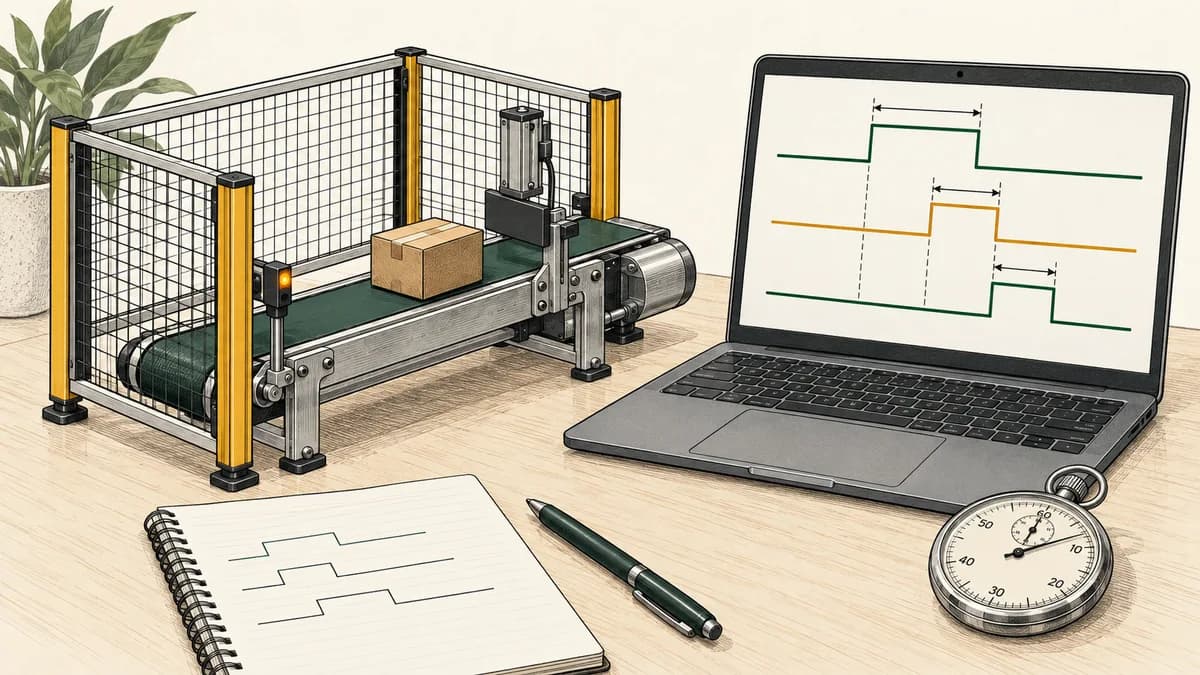
A PLC staggered motor start exercise is a useful way to learn timed sequencing: issue three virtual commands at different points in a run request, then clear and restart the sequence under defined conditions. The important design question is what each delay is measured from. Five seconds after the original request is different from five seconds after the previous stage has been confirmed.
This lesson compares those ideas using a disconnected software model. The variables represent command indicators, not motor rotation, contactor position or measured electrical current. No motor ratings, breaker settings, physical wiring or machine restart approval are supplied. The chosen five- and ten-second delays are learning parameters, not recommendations for equipment.
Begin with the flashing-beacon timer exercise if timer instances, elapsed time and execution order are unfamiliar. Here you will use a common timing origin, test interruption and recovery, then compare a dependent sequence. Keep your predictions beside the implementation so each result has a stated reason.
Specify the basic three-stage sequence
The fictional training screen has RunRequest, StopRequest and Permission inputs. When RunRequest is true, StopRequest false and Permission true, the sequence is enabled. StageOne becomes true at that evaluation. StageTwo becomes eligible after five seconds of continuously enabled time, and StageThree after ten seconds from the same origin.
An evaluation that sees the sequence disabled clears all three commands and resets both timers. A later enabled evaluation begins a new sequence. Time accumulated before the interruption is discarded in this model. The input is level-sensitive: if RunRequest stays true while a blocking condition clears, another sequence can begin without a fresh button action.
Write that policy explicitly. A maintained input does not establish whether automatic restarting is appropriate for a real installation, and a momentary input alone does not prove a particular power-return policy. This exercise simply declares what the software does with the supplied values. The start-stop seal-in lesson compares level and fresh-edge behaviour in a smaller example.
Use this compact requirement list to review your work:
- Start a fresh exercise with timers reset and commands false.
- Calculate one Enabled value from the three input meanings.
- Call separate five-second and ten-second timers from Enabled.
- Calculate commands after those timer calls.
- Clear commands and timer state when a disabled evaluation is observed.
- Reapply the full delays after that reset.
There is no additional startup settling timer in this basic version. Adding one would change the time origin and the expected table. Keep that as a separate revision with its own requirements rather than silently inserting a delay into a supposedly immediate first stage.
Name values according to what they actually represent
| Variable | Meaning when true | Role |
|---|---|---|
RunRequest | The virtual sequence is requested | Input |
StopRequest | A stop is requested | Input |
Permission | The exercise permits the sequence | Input |
Enabled | Run requested, no Stop, Permission present | Derived value |
StageOne | First virtual command active | Result |
StageTwo | Second virtual command active | Result |
StageThree | Third virtual command active | Result |
The table deliberately uses StopRequest true to mean Stop requested. A different project may use a “healthy” input convention. Translate the meaning before deciding whether a contact should examine a value or its negation. Do not infer the state of a field circuit from the name alone.
Use separate columns for commands and feedback if you later introduce feedback. StageTwo true means the program has issued that virtual command. It does not mean a motor has accelerated, a contactor has closed or a process condition has been achieved. The basic sequence has no feedback inputs and therefore cannot make those observations.
For learners using a particular vendor package, select symbolic variable types and timer declarations in that package. The Siemens PLC learning guide and Mitsubishi PLC learning guide explain why identifying the controller and software family matters before following a course. Address spelling alone is not a complete portability check.

Build parallel timers with one common origin
The illustrative structured text is:
Enabled := RunRequest AND NOT StopRequest AND Permission;
tStageTwo(IN := Enabled, PT := T#5s);
tStageThree(IN := Enabled, PT := T#10s);
StageOne := Enabled;
StageTwo := Enabled AND tStageTwo.Q;
StageThree := Enabled AND tStageThree.Q;
Declare two distinct timer instances. The sketch assumes sequential calls in this order, with the updated timer results available to the following assignments. It is not a precompiled project for every PLC environment. Call both timers on disabled evaluations as well, so their false-input reset behaviour is evaluated.
The CODESYS TON reference describes its on-delay input, preset, elapsed-time and completion outputs. Its documented input transition starts the delay and a falling input resets it. Check the corresponding instruction reference for the actual timer you use, including startup, task execution and any version-specific conditions.
Schneider Electric's documented TON block interface also specifies separate declared instances and the relationship between input, elapsed time and Q. Its version-specific note on presets shorter than the cycle illustrates why you should check actual execution conditions. It does not establish a timing guarantee for this three-stage sketch.
In ladder, draw the common Enabled condition feeding the two timer calls, then place the command assignments after the timer results they use. Both timer inputs start from Enabled. StageThree does not wait for StageTwo.Q in this version. That is why the ten-second preset is measured from the original enabling observation.
The Enabled condition in each command expression makes the disabled result explicit even when reviewing the output lines alone. It is a property of these software assignments. It is not proof that three physical devices stop simultaneously or that an ordinary PLC implements a safety function.
Calculate a reproducible timestamp trace
Use an explicit paper timer model to predict the sequence. On the first enabled evaluation after reset, store the current timestamp as the start. On subsequent enabled evaluations, elapsed time is the current timestamp minus that start, capped at the timer's preset. Q becomes true when elapsed time reaches the preset. A disabled evaluation clears the stored start, elapsed time and Q.
Supply the same timestamp to both timer calls. Start with both timers reset. In the following table, Enabled is the calculated input to both timers; command bits are the results after the evaluation. Times are milliseconds, and 1 means true.
| Timestamp | Enabled | Five-second ET | Ten-second ET | StageOne | StageTwo | StageThree |
|---|---|---|---|---|---|---|
| 0 | 1 | 0 | 0 | 1 | 0 | 0 |
| 4999 | 1 | 4999 | 4999 | 1 | 0 | 0 |
| 5000 | 1 | 5000 | 5000 | 1 | 1 | 0 |
| 7000 | 0 | 0 | 0 | 0 | 0 | 0 |
| 8000 | 1 | 0 | 0 | 1 | 0 | 0 |
| 12999 | 1 | 4999 | 4999 | 1 | 0 | 0 |
| 13000 | 1 | 5000 | 5000 | 1 | 1 | 0 |
| 17999 | 1 | 5000 | 9999 | 1 | 1 | 0 |
| 18000 | 1 | 5000 | 10000 | 1 | 1 | 1 |
| 19000 | 0 | 0 | 0 | 0 | 0 | 0 |
The interruption at 7000 ms discards the earlier elapsed time. When Enabled returns at 8000 ms, the new five-second threshold is 13000 ms and the new ten-second threshold 18000 ms. Keeping the original 10000 ms StageThree threshold after the reset would violate this specification.
This is a calculation from supplied timestamps, not a recorded PLC trace. The sparse rows are chosen to expose boundaries. If a program is evaluated only at certain times, it can only update its computed result at those evaluations. Distinguish the elapsed-time threshold from the timestamp at which an observation first shows it reached.

Test the threshold that falls between evaluations
Run a fresh copy of the timestamp model at 0, 4900, 5200, 9900 and 10200 ms, keeping Enabled true. StageTwo first appears at the 5200 ms evaluation; StageThree first appears at 10200 ms. The presets are still five and ten seconds, but those threshold instants were not evaluation times in this example.
That does not mean you should change the preset to compensate for one observed delay. First identify the timer model, task schedule and observation method. A watch display may refresh at a different rate from the program. Record the actual source of each timestamp before claiming a particular timing accuracy.
Compare several starts rather than only one. Include a case where the threshold aligns with an evaluation and another where it does not. Your report should say what was configured, what was predicted and what was observed. Do not turn a successful visual sequence into an unsupported promise of exact timing across controller families.
The ladder logic simulator guide is useful if moving assignments changes which value your display shows. Keep the command assignments after the timer updates in the declared model, and identify any different ordering in the implementation you test.
Parallel delays and dependent delays answer different questions
The basic version says “StageThree becomes eligible ten seconds after Enabled starts.” A dependent version might instead say “StageThree becomes eligible five seconds after StageTwoConfirmed is observed.” Those are different specifications. Neither is automatically the correct choice for every process.
Consider a fictional run enabled at time zero. The StageTwo command becomes true at 5000 ms, but a separate simulated confirmation is not supplied until 6200 ms. Under the parallel model, StageThree reaches its threshold at 10000 ms. Under the confirmation-dependent model, a five-second timer starting at 6200 ms reaches its threshold at 11200 ms, assuming an evaluation occurs there.
Write the confirmation meaning explicitly. In a software exercise it may simply be a manually supplied Boolean value. It does not prove physical feedback quality. If confirmation never arrives, decide whether the dependent model waits indefinitely, raises a separate diagnostic or follows another declared rule. That decision must precede implementation.
A third variant chains a five-second timer from the StageTwo command rather than confirmation. In the sparse example where StageTwo is first observed at 5200 ms, its new timer starts then. The next nominal threshold is 10200 ms from that origin, not automatically 10000 ms from the original request. Separating command, confirmation and timing origin avoids an argument based only on whether timers look “parallel” or “in series”.

Exercise interruption, held inputs and restart
Test each cause of Enabled false independently. With RunRequest false, commands clear. With StopRequest true, commands clear even if RunRequest remains true. With Permission false, commands also clear. Restore the other inputs between cases so one blocking condition does not conceal another.
Now hold RunRequest true, assert StopRequest at an observed evaluation and later release StopRequest with Permission true. The basic level-sensitive model starts StageOne again and begins both delays from a new origin. It does not require another RunRequest edge. If your intended learning policy requires a fresh action, implement that separately and update the expected results.
A brief input change that occurs entirely between your model's supplied observations is absent from that input sequence. Do not claim the model detected it. In an actual controller, input acquisition, task scheduling and configuration determine what the application sees. A statement such as “a 200 ms blip always resets everything” needs more information than this article's Boolean expressions.
Avoid adding an off-delay to the common stop condition merely to hide an inconvenient reset. That would change the response requirement and needs a new specification. In this disconnected exercise, investigate continuity by recording the interrupted sequence first. Do not translate a convenient software workaround into advice for a physical stop circuit.
Keep startup readiness separate from run permission
If you want an additional startup lesson, introduce a fictional StartupReady value supplied by the exercise harness. Define Enabled as the original conditions AND StartupReady. When StartupReady is false, the three commands stay false and the stage timers reset. When it becomes true with RunRequest already held, the basic version begins a sequence at that observation.
This is different from saying a timer with IN permanently true always measures time from PLC power restoration. A real timer instance's initialisation, retention and invocation depend on its environment. A program start, download, task restart and physical power restoration are not interchangeable events without supporting runtime evidence.
For a South African learner discussing supply interruptions, the useful question is precise: “Which event resets this state, and which input levels are present when execution resumes?” A generic reference to load-shedding cannot answer it. Document the restart assumption in your project record and keep any equipment-level decision outside this software lesson.

Deliberate faults that expose the sequence assumptions
Use five seconds for both parallel timers. At the five-second threshold, StageTwo and StageThree become true together. The boundary table exposes the mistaken preset directly. Watching only the first command would miss it.
Use ten seconds after StageTwo rather than after Enabled. In a regular ideal schedule, the third stage now targets fifteen seconds after the original start. Explain which origin moved before editing the number again. This prevents fixing a timing error by trial and error without understanding it.
Skip timer calls while disabled. Inspect the implementation's retained instance state on re-entry. The specified model requires reset calls; simply bypassing the routine does not demonstrate that those resets happened. Restore the declared call pattern before judging the expected table.
Observe old timer outputs. Move the command assignment ahead of its timer call in a sequential model. Compare the end-of-evaluation results with the original ordering. Record the smallest input sequence that reveals the difference.
Confuse command with confirmation. Label a command as “running feedback” without adding a separate observation. The numbers may still match, but the claim in the report is wrong. Correct labels are part of technical evidence, not merely cosmetic wording.
Build a portfolio record or classroom test sheet
Record the version's requirements, variable meanings, timer type or paper model, initial state and expected timestamps. Add the actual implementation order and observed results. Include the interrupted run and one intentionally faulty version with its explanation.
For a Gauteng evening learner or a Western Cape college study group, the arithmetic can be prepared without a controller and checked later in a suitable development environment. These are suggested study settings, not statements about local premises, enrolment or course availability. The learn PLC at home guide describes how to organise sessions and preserve work.
A maintenance learner can use the exercise to ask better questions about a course: does it distinguish requests, commands and feedback; test restart assumptions; and explain where timer observations come from? The maintenance manager training guide connects those questions to evaluating a learning programme without treating a simulation as proof of operational performance.
A completed worksheet demonstrates the reasoning recorded on it. It does not establish a trade credential, accredited qualification or authority to modify a machine. If those outcomes matter when choosing training, use the South African PLC certification guide to frame the evidence you need from a provider.
Continue with relevant timer practice
Before combining several stages, inspect the on-delay timer practice scenario. Compare its stated objective and available controls with this article's model. The three-stage sequence and its interruption cases are not claimed to be automatically graded by that scenario.
The PLC timer learning page provides another relevant destination for timer concepts. Check current access conditions and preserve your own trace notes independently of any saved product progress.
For another sequencing problem, select a project from the PLC programming examples collection. Choose the next exercise based on the concept you want to add—event order, counting or feedback—rather than simply adding more virtual outputs to this one.

Questions about staggered PLC starts
Why does the third stage use ten seconds rather than five?
In the parallel version, both delays start from the same Enabled observation. Five seconds selects the second threshold and ten selects the third. A five-second delay after a previous stage would use a different timing origin.
Does StageTwo true mean a motor is running?
No. It is a virtual command result in this exercise. Feedback would need a separately defined input and interpretation. The basic timing sequence cannot confirm a physical response that it never observes.
Why does the sequence start again when Stop is released?
RunRequest is level-sensitive. If it remains true and the other conditions permit operation, Enabled becomes true again. The cleared timers then begin a new sequence. A fresh-action requirement needs a different explicitly tested policy.
Will staggering solve a site's electrical starting problem?
This software model provides no electrical assessment. The delays are chosen for learning, and no measurements of motors, supply or protection are included. Use the exercise to understand sequencing, without claiming an installation outcome from its indicator pattern.
What should I ask an AI tutor to check?
Supply the two timer presets, the common timing origin and the interruption row. Ask for StageOne, StageTwo and StageThree at 12999, 13000, 17999 and 18000 ms in the worked trace. Then compare the result with the reset rule. A general explanation of motor starting does not replace that calculation.