plc-simulator-online · South Africa
PLC Simulator Online: Practice, Saving and Tool Choice
Use a PLC simulator online for repeatable practice. Check browser access, saving and vendor alternatives, then test a progress-counter example in steps.

A PLC simulator online can be a useful place to practise logic without buying a controller or installing a complete vendor engineering environment. Before choosing one, check the actual exercise, supported instructions, saving arrangements and feedback. A browser interface alone does not tell you how accurately a particular behaviour is represented or whether your work will be available later.
The most useful first session is small and repeatable. Write a requirement, predict a few results, run the exercise and record the conditions. Then start again from the documented initial state and see whether you can reproduce the result. This guide includes a fictional progress-counter exercise for that purpose.
This website is commercially connected to PLC Simulator. We benefit if you buy its learning access. The PLC Simulator curriculum is an independent practice route; it is not a promise of native compatibility with every vendor project or a substitute for supervised equipment work.
What does online PLC simulation mean?
The phrase can describe different arrangements. A browser application may execute a learning model locally while using online services for accounts or saving. A remote lab may provide access to an engineering environment on another computer. A vendor simulation product may be installed locally and connect to a virtual controller.
Ask what runs where, what requires a connection and what happens to the project when the session ends. Do not assume that “online” means unlimited cloud storage, or that a page remaining open means all features work without connectivity.
| Your objective | Questions to ask about the tool |
|---|---|
| Begin Boolean logic practice | Can you enter the expression, change inputs and inspect the result? |
| Study state and transitions | Can you identify initial values and repeat a sequence from them? |
| Investigate a vendor project | Does the product support the exact controller, software and project version? |
| Continue across several study sessions | What is saved, where is it saved and how is successful saving confirmed? |
| Submit work for review | What evidence can you keep, and what assistance or automated tests are recorded? |
The PLC simulator overview discusses broader learning scope. If your immediate task is ladder editing and execution order, use the ladder logic simulator guide. Here the focus is the online study workflow and reproducible practice.
Check your device with a real exercise
Open the actual editor on the device and browser you intend to use. Confirm that you can read the diagram, select elements, change inputs and inspect feedback. A product opening successfully is only the beginning; the controls needed for your exercise must also be usable.
Try a small project before paying for access that depends on an untested setup. Check the provider's published requirements for the particular tool. Avoid assuming that every browser simulator works fully on every phone, tablet, managed work laptop or older computer.
On a shared device, use your own account where required and follow the service's sign-out process when finished. Keep private employer material out of a learning project unless you have permission and an appropriate environment. A fictional exercise is enough to test the workflow without exposing real control code or network information.
For learners in South Africa, test the connection you will actually use during study. There is no fixed data-use promise in this guide: lesson video, images, software downloads and remote desktops can have different requirements. Ask the provider about the features you intend to use, rather than assuming all online practice is a text-only transfer.

Saving a project is different from preserving its running state
A saved diagram or source file may not contain every value that existed while it was running. A service might preserve program text, a lesson result or an account progress record without restoring a timer accumulator or a previous-input flag. Establish what the particular save operation includes.
Before relying on a workflow, create a disposable exercise, give it a distinctive name and save it using the supported controls. Reopen it and check the program content. If runtime-state restoration matters, test that separately and record the result. Do not infer either capability from an unchanged browser tab.
Keep your own requirement and expected trace alongside the project. These notes let you reconstruct the test even if the runtime starts from defaults. A screenshot of the final display alone may omit the initial state and the input history needed to explain how it arrived there.
The home PLC learning guide provides a session structure for building that habit. A useful online study routine ends with a saved learning record and a clear next action, not just a closed tab.
Worked exercise: a repeatable three-step progress marker
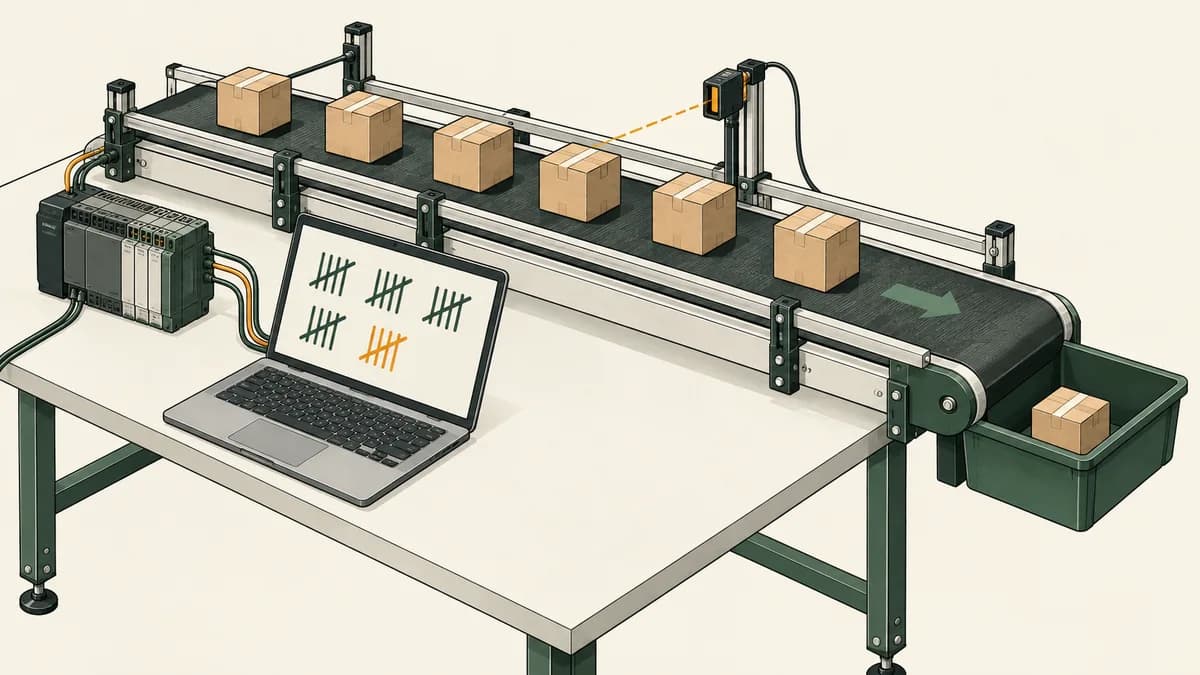
Imagine a fictional study application that records progress through three practice cards. An Advance input should move the progress by one when it changes from false to true. Holding it true should not keep adding steps. A Reset input clears progress, and progress cannot exceed three.
This is a software-only learning marker. It is not a conveyor counter, machine sequence, safety control or measurement of course completion. The example lets you practise state, input history, priority and repeatability without connecting physical equipment.
The model has two stored values: Progress, initially 0, and PreviousAdvance, initially false. Each model step receives Boolean values for Advance and Reset. A step is an evaluation in this exercise, not a specified number of milliseconds or a browser mouse click.
Define the rule before implementation
First identify a rising event: Advance is true now and PreviousAdvance was false. If reset is true, set progress to zero and ignore any rising event for that step. Otherwise, increase progress by one on a rising event, stopping at three. Finally, store the current advance value as PreviousAdvance, including during a reset step.
RisingEvent = Advance AND NOT PreviousAdvance

IF Reset:
    Progress = 0
ELSE IF RisingEvent:
    Progress = minimum(Progress + 1, 3)

PreviousAdvance = Advance
This is pseudocode for the stated model, not a ready-to-download vendor project. It does not use a claimed native counter instruction. A tool-specific implementation needs the supported language, declarations and execution context.
Updating PreviousAdvance during reset is a deliberate choice. If advance remains held true after reset, the model does not count it as a new rising event. Releasing and then asserting advance creates the next event. A different requirement would need different logic and expected results.
Predict a nine-step trace
Begin with progress 0 and previous advance false. Apply the following inputs in order. The stored previous-advance value after each row equals that row's advance input.
| Step | Advance | Reset | Rising event before priority | Progress after step |
|---|---|---|---|---|
| 1 | False | False | False | 0 |
| 2 | True | False | True | 1 |
| 3 | True | False | False | 1 |
| 4 | False | False | False | 1 |
| 5 | True | False | True | 2 |
| 6 | True | True | False | 0 |
| 7 | True | False | False | 0 |
| 8 | False | False | False | 0 |
| 9 | True | False | True | 1 |
Step three checks that a held input does not count twice. Step six checks reset. Step seven checks the less obvious requirement: releasing reset while advance remains true does not create a new event. Step nine shows that a fresh false-to-true transition is accepted.
If your result increases at every true input, inspect whether you implemented level counting instead of transition counting. If it increases on step seven, inspect how the previous-input state is handled during reset. These are questions about the model, not evidence of a real controller fault.
Test saturation and simultaneous inputs
Continue from progress one by supplying false, true, false, true, false, true with reset false throughout. The progress values should be 1, 2, 2, 3, 3, 3. The final rising event does not increase the bounded result beyond three.
For another test, begin with previous advance false and progress two. Supply advance true and reset true together. A rising event exists, but reset takes priority, so progress becomes zero. Previous advance becomes true. On the next step, keeping advance true with reset false leaves progress at zero.
These cases establish the selected priority and upper bound. They do not establish how an actual counter instruction handles overflow, retention, load or reset. Consult the chosen environment's documentation if you replace this explicit model with a vendor instruction.
Repeat from a documented initial state
Now start a fresh run with progress zero and previous advance false and repeat the nine-step trace. You should predict the same progress values. If a tool's reset operation does not restore those values, initialise the disposable exercise through its supported workflow or record that a fresh run cannot be established in the same way.
Do not compare a continued run with a fresh run while calling them identical conditions. The previous-input flag is part of the experiment even though it may be less visible than the progress number. A saved final display of one does not tell you what that flag contains.
This is why repeatability matters in online learning. You need to know the requirement, initial state, input sequence and environment. A pass/fail badge or a final screenshot can be useful evidence, but it is not the whole test record.
Turn a failed result into a useful question
Record the first step where actual and expected results differ. Include both inputs, progress before the step, previous advance and progress afterwards. That narrows the question much more than reporting that the counter is unreliable.
For example: “After the reset step, advance remained true. I expected zero progress, but observed one. My previous-advance variable was false.” The observation points toward a difference in history handling that an instructor can inspect.
If the tool does not expose the required internal value, say so. Choose another supported observation or simplify the exercise. Do not invent an internal trace from a visual animation that does not actually show it.
Use feedback as evidence about selected cases
Automated feedback can help you detect a mismatch, especially when it identifies the input sequence and expected result. Its scope depends on the specification, test cases and simulation model. A passing exercise does not prove every possible input history or physical application is correct.
In the progress-marker example, testing only isolated presses would miss the held-after-reset case. Testing only progress zero and one would miss the upper bound. Useful tests distinguish plausible incorrect implementations from the intended rule.
The PLC Simulator curriculum is the product route for exploring its educational feedback. Check the particular exercise and current access conditions. This article does not claim the progress-marker model is a ready-made product scenario or that all lessons use a fixed number of tests.
A peer or instructor can also review your predictions and trace. Automated grading is one source of feedback, not a prerequisite for every useful learning activity. Keep the explanation of a failure even after the corrected implementation passes.

When a vendor simulator is the right next tool
If your objective is an actual Siemens or Rockwell project, investigate the relevant vendor tools and compatibility information. Siemens describes S7-PLCSIM Advanced as a way to simulate supported SIMATIC controllers without physical hardware. Rockwell's FactoryTalk Logix Echo is a controller-emulation product.
Those product names do not establish support for every CPU, project release or communication feature. Check the selected software version, controller and documented limitations. Do not assume that an older product name such as Logix Emulate covers the same targets and workflows as every current alternative.
A vendor environment can also be used for learning with appropriate lessons and instructor guidance. It is misleading to claim that vendor simulators cannot teach or that every beginner must use a browser trainer first. Choose the environment from the objective and the support available to you.
Our Siemens training guide and Allen-Bradley training guide help structure that enquiry. Independent logic practice can develop useful concepts, while project setup, vendor instructions and target-specific behaviour need their own evidence.
If you need an installable or offline learning route
Separate installation from offline capability. An installed tool can still require activation, downloads or online services for some features. Check the exact product and intended workflow rather than assuming installation removes every connection requirement.
CODESYS provides a free Development System download, while runtimes and optional products have separate conditions. The CODESYS training guide explains those distinctions. Do not describe the entire ecosystem as unrestricted free software or confuse a runtime demo with a full licence.
Use official download and support routes for the environment you select. Record the version with the exercise so future results can be interpreted. If an employer provides software, follow its access and information-handling arrangements rather than assuming permission to copy production projects to a personal device.
For connection interruptions during browser practice, keep a locally accessible copy of your own requirements and expected results. You can continue prediction and review work without claiming to run the online simulator offline. Resume execution and saving when the required services are available.
Compare the actual cost of the learning workflow
Begin with the features needed for your current exercise. A free access level may be enough to evaluate the editor or complete introductory tasks, while another activity may require paid access. Check the current boundary rather than relying on an old count of free lessons.
Use the current PLC Simulator pricing page to compare its plans and billing periods. This guide does not convert prices into a fixed rand amount or imply that all practice, assessment and export features belong to every tier.
For other routes, include software licences, access duration, instructor support, computer requirements and any practical facility fees. The South African PLC course price guide helps compare specific offers. A subscription and a supervised equipment course have different outcomes, so the cheapest headline price may not answer your learning need.
For a training group, ask how learners access their own work and how an instructor reviews it. Use the training-centre guide for planning questions. Do not infer institutional reporting, identity verification or formal qualification status from an ordinary account progress screen.

Build an online practice record that someone can review
Keep the requirement, named exercise version, environment and initial conditions together. Add the input sequence and expected results, then record actual observations and any changes made after a failure. Distinguish your own work from supplied solutions or instructor assistance.
For the progress-marker example, the record should explain edge detection, reset priority and saturation. It should also state that no physical controller, clock, equipment output or restart-retention behaviour was validated. These limits make the evidence clearer, not less useful.
If you are preparing for a course or job application, ask what the receiving organisation wants to see. Employers and providers differ. This page does not claim that all interviews use the same rung exercise or that a simulator portfolio replaces a required qualification.
The PLC technician training guide develops diagnostic reporting further. The PLC certification guide explains why private practice records and official credentials should be described separately.
Questions about using a PLC simulator online
Can I start without buying a PLC?
Yes, you can begin with supported software exercises such as Boolean rules and state traces. Physical equipment is not needed for the fictional model above. Hardware configuration, wiring, measurement and commissioning require additional learning in an appropriate setting.
Will an online PLC simulator work on my older laptop?
Try the actual exercise and check the provider's requirements. Test diagram editing, input controls, feedback and saving. A page loading successfully is not a guarantee that every feature works comfortably on your device or browser.
Is browser practice saved automatically?
That depends on the product and operation. Confirm what is saved, where it is stored and how success is indicated. Test reopening a disposable project before relying on the workflow, and distinguish program saving from runtime-state restoration.
Can I use the simulator when my connection drops?
Do not assume that an open page provides complete offline access. Some functions may depend on online services. Keep your own requirements and predictions available for offline study, then use the provider's supported workflow when connectivity returns.
Is PLCSIM or Logix Echo better than a browser simulator?
Choose from the task. A supported vendor project may require its specific simulation environment. Introductory independent practice may use a different tool. Compare target support, instructions, feedback and access rather than treating either category as universally better.
Why does my counter behave differently after reset?
Check the reset rule, initial values and input history. In the worked model, previous advance is updated during reset, so a held input is not a fresh event afterwards. Your selected instruction may follow different documented rules; identify those before judging the result.
Does completing online exercises make me qualified for plant work?
It demonstrates learning within the stated exercise conditions. Qualification, competence and workplace authorisation have separate requirements. Describe your evidence accurately and ask the relevant provider or employer which additional training and assessment you need.

Make the first online session reproducible
Write the progress-marker rule, predict the nine-step trace and identify the stored values. Try a supported implementation, record the first discrepancy if one appears and repeat from the documented initial state. Save the learning record using a workflow you have checked.
That gives you a concrete basis for choosing an online PLC simulator: a task you can complete, results you can explain and a clear account of what the tool does and does not preserve between sessions.